Sierra MCP Gateway Dev Diary #

I wrote a post for the Sierra blog about building our internal "MCP Gateway". An early draft was was formatted as a development diary; we ended up abandoning that approach due to its length and lack of "catchiness". But I thought it would be fun to preserve for posterity, so I'm archiving it here.

Context is the lifeblood of internal agents - even the best model in the most full-featured harness will struggle to produce a better-than-mediocre result if it knows nothing about your company, team or project. Access to internal data was thus a crucial step in enabling Sierra employees to effectively use agents to get their jobs done. In parallel with building out the Pinecone internal agent system, this spring we also created a “gateway” service to allow safe and comprehensive access to the SaaS products and internal systems that Sierra runs on.

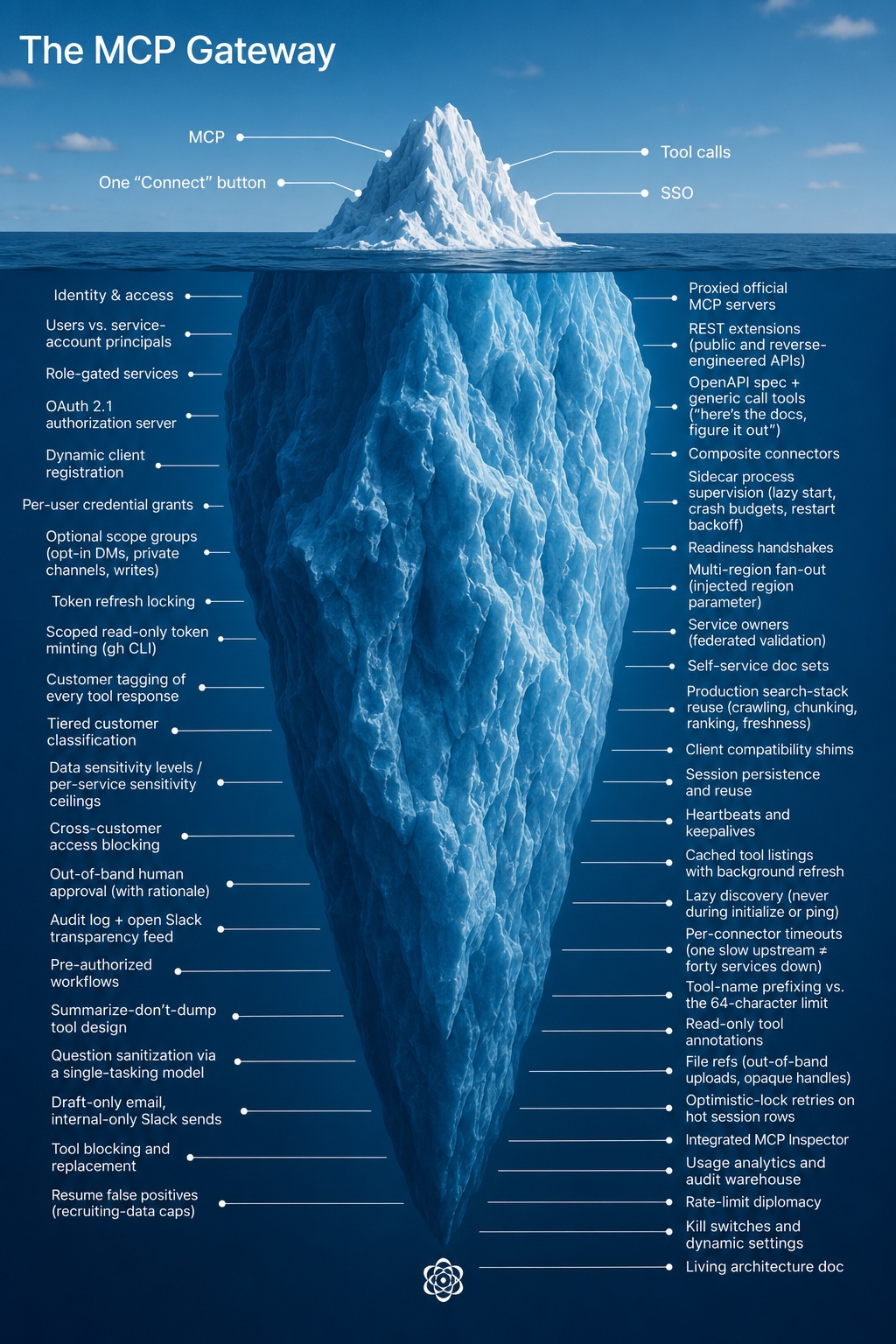
The gateway is built on top of the Model Context Protocol (MCP), the industry-accepted way of exposing systems to agents, giving them “tools” to read and act with. Released in late 2024 and exploding in popularity in 2025, MCP is a “mature” (some might say “boring”) technology by AI industry standards. One might thus assume that building an MCP gateway would be a straightforward project. However, it ended up having surprising depth, joining the flotilla of icebergs that Sierra has accumulated.

Iceberg entitiled 'The MCP Gateway' with 4 things above the surface and 40 below

To convey the kinds of problems that needed to be solved and give a sense of AI-enabled development within Sierra, we thought it would be interesting to present a “development diary” of how the MCP gateway came to be. It captures the work of roughly one-and-a-half engineers who built the gateway, sometimes working full-time and at other times treating it as a background task.

Week 1

Services: 1 · Weekly users: 1 · Pinecone-authored commits: 0%

The AI acceleration team has the expression “grabbing the lock”, meaning roughly “I claim ownership of this area, please check with me first before doing something that might affect it.” With every individual engineer being that much more productive, it behooves us to avoid coordination overhead where possible. It also avoids the temptation of sending off a coding agent on a side-quest to implement an idea you might have had (in case that idea is at odds with the lock holder’s broader vision).

We thus grabbed the lock on the “connect agents to data” problem, both within the team and the company as a whole. By this point everyone at Sierra wanted their agents connected to something: sales to the CRM, recruiting to the applicant tracker, engineers to the data warehouse. While every team could wire up its own integrations (and invent its own permissioning and auditing system), it seemed preferable to solve this once and for all for everyone.

To host the service, we decided to use our existing internal administrative tooling platform, which gave us access to identity and permissioning for “free”. We also had familiarity with the mcp-go library, having already used it for other MCP-related functionality in the Sierra platform, so we continued to prefer that over the official SDK.

Though we had a much more full-featured system running locally, we wanted to get it deployed piecemeal. That way we could validate that it worked end-to-end, and also not overwhelm code reviewers with giant pull requests. The state at the end of the week was a gateway service that you could sign into, connect one service, and get access to just one tool: whoami, returning your identity and access level.

Week 2

Services: 6 · Weekly users: a few dozen, allowlisted · Pinecone-authored commits: 7%

We added the first real services this week: proxied access to Linear, Slack and GitHub, along with an internal tool allowing access to our data warehouse in ClickHouse. We also wanted to have “knowledge” tools to allow internal Sierra documents to be searched. While it was tempting to build something quick-and-dirty bespoke for our needs, we could see the fun of that initial experience being replaced by the toil of maintaining a reliable crawling, indexing and ranking system. Luckily Sierra has a whole team dedicated to that iceberg, and it ended up being much better in the long run to spend a bit of time figuring out how to reuse their system.

With the system now actually being useful, we wanted to validate that it would work for more than just the team. Following product management 101 principles, we found a few early adopters, enabled the service for them and set up a #mcp-gateway-users channel to communicate with them. It continues to this day, serving as the primary communication and feedback channel. While the most AI-pilled users will be constantly checking the gateway for new services and tools, most users still benefit from the occasional feature roundup post.

On the agentic development side, as we were fleshing out the system, we kept noticing that coding agents would solve problems at the wrong layer, or not be aware of key system properties. We ended up creating an mcp-gateway.md document to capture these invariants. Unlike traditional design docs or RFCs, it is a “living” document - all major tasks would ask the agent to refer to it and update it when completed. It was a constant battle to keep it high-level enough while still capturing important nuances; even the latest models love to over-explain. Serving as the “curators” for that document has at times felt like our most important contribution.

Giving coding agents a self-verification mechanism is key to having them successfully complete tasks with minimal intervention. This seemed straightforward for this project; after all, what could be more natural than “implement this tool, and then call it when you’re done to make sure it works.” However, we observed that agents love to “cheat” (not surprisingly). For example, given a broken authentication setup, the agent would helpfully read the correct token from the file system or local database and use it instead. At other times, if the MCP server behavior was not fully spec-compliant (and thus the built-in client would fail), the agent would fall back to manual HTTP requests via curl, but still declare success. We thus ended up using “consumer-grade” agents like ChatGPT or Claude for final validation or smoke tests. Their more limited capabilities would ensure they would only use the official functionality.

Week 3

Services: 6 · Weekly users: 12% of the company · Pinecone-authored commits: 10%

The main problem to be solved this week was “cross-customer” data access, or rather how to not allow it. Sierra’s customers entrust us with a lot of sensitive data, and our agent engineers help build many of our customers’ agents, thus they need access to it. A nightmare scenario: what if a coding agent acting on their behalf accesses one customer’s internal operating procedures and then “helpfully” copy/pastes them into another, to save time? While Sierra production systems are carefully partitioned by customer identity, the gateway also gives access to fuzzier sources of data, like Slack channels, internal documents, or ad-hoc analytics. Forbidding their use would negate the benefit of the gateway, so we wanted to find a way to do this safely.

We developed a “tagging” system that observes tool responses and associates them with a customer (if any) and a sensitivity level. It was intentionally designed to be generic; data may come from any system and may not have a well-formed schema. We build up a full audit log of data that was accessed about our customers, blocking attempts to access sensitive data about multiple ones in the same session. To do this efficiently, it is a multi-pass system:

  1. A deterministic phase builds a list of candidate customers the data may be about
  2. A fast model does an initial pass over those candidates to narrow them down
  3. A slower model does a final pass to determine the customer (if any) and the sensitivity of the data

Even with the final pass there are false positives. There may also be a legitimate business reason to look at data across customers, usually in specific departments or for special cases like incident investigations. We therefore allow users to approve this kind of “cross-customer” access, but it happens out-of-band, requires a deliberate user action, and also gets added to the audit log.

With that system in place, we had official sign off to launch the gateway to the entire company. As usage of it started to ramp up, we spent more time building out debugging tooling. While coding agents are happy to make sense of 50K of unformatted JSON or go through noisy logs, some gnarly problems still need a human to look at the data. The integrated MCP Inspector that we added to the gateway and the ability to inspect underlying data structures have saved us a lot of time.

Week 4

Services: 12 · Weekly users: 54% of the company · Pinecone-authored commits: 35%

As usage of the gateway picked up, we started to get a lot of feedback that some official MCP servers were insufficient for the workflows that our employees actually do every day. We thus developed a “REST extension” mechanism, allowing us to augment their tools using the public (or sometimes reverse-engineered) APIs that those services also expose. Conversely some tools provided by these servers were of no interest to us, or were deemed to be potentially dangerous, so we also added a way to block or replace them.

One of the other services that we added to the gateway was Pinecone itself, allowing its sessions to be listed, read, and created. This makes it possible to hand-off work from local coding agents to Pinecone or vice-versa. While the gateway is deeply integrated with Pinecone, it is a separate system and does not mandate its use, no strategy tax here. This kind of flexibility has allowed us to meet users where they are, and also be flexible as tooling evolves. For example, when Claude Design launched it was possible to give it access to real data from day one, instead of needing to wait for the equivalent functionality to be added to Pinecone.

Week 6

Services: 17 · Weekly users: 80% of the company · Pinecone-authored commits: 58%

The sales team within Sierra officially kicked off its “AI acceleration” effort, and the gateway plays a major part of that. This exposure to a new cohort of users brought new challenges. For example, they are much heavier users of email, and the tooling that we exposed through the gateway was pretty limited (turns out plain text email sending feels sufficient to engineers, but is a bit lacking in pizzazz to everyone else). Being responsive to their feedback (turning around feature requests within a few hours in some cases) was valuable in retaining those users.

Week 7

Services: 20 · Weekly users: 81% of the company · Pinecone-authored commits: 36%

At times development on the gateway reminds us of the early days of web development. Just as it was a guessing game as to whether the same HTML would work in both Netscape and Internet Explorer, we would struggle to get the full gateway capabilities working in Pinecone, local coding agents and hosted ones. We encountered divergent behavior in session reuse, heartbeat expectations, tool name validation, and other edge cases. Quality time spent in the MCP client and extension compatibility matrix pages also triggered flashbacks of caniuse.com. Luckily, it’s 2026 instead of 1996, and agents are very good at debugging all the flavors of OAuth, so it’s not a huge time sink, but it does feel like this iceberg at times.

Many of these investigations happened this week, explaining the drop in the percentage of Pinecone-authored commits. At this time, one of its limitations was that every agent had a “blank slate”, leading to a lot of toil to connect MCP services and recreate a realistic setup for every coding session. Shortly after this week Pinecone got a persisted “devstash” that allowed pre-configured data to be quickly loaded (and persisted if desired). This allowed gateway development to be more done through Pinecone, lowering the barrier to entry. The goal is to have a fully agentic loop: a user can send a “@Pinecone can you add a gateway tool to…” Slack message and then have it available to use a short while later.

Week 8

Services: 24 · Weekly users: 84% of the company · Pinecone-authored commits: 67%

This week we made a concerted effort to have the gateway more completely replace existing production investigation use cases. Those centered around tooling like Grafana and OpenSearch, which didn’t neatly map into our model - their MCP servers are meant to be self-hosted, and the surface area is broad enough that we didn’t want to vibe-code replacements to run as custom tools. Additionally, we need them to provide data for each cluster or region that Sierra runs in. We ended up giving up some of the architectural purity of the gateway, introducing two new subsystems:

  • Sidecar services, requiring a local MCP server to be run as another process next to the gateway.
  • Multi-region services, where we run multiple instances of each service, one per region.

While this did add operational complexity to the gateway, we hid it from clients - they’re not aware of the “sidecar” distinction, and regions manifest themselves as an injected region parameter to tools, instead of introducing a new concept.

The other use case that was discovered as part of this sweep was the need for “service accounts” - automations are increasingly agent-driven, and we want them to have their own identity instead of using a specific user’s. We generalized the gateway’s “user” concept into a “principal”, allowing both users and service accounts to get the same auditing and debugging capabilities.

Week 9

Services: 26 · Weekly users: 85% of the company · Pinecone-authored commits: 78%

MCP is not the answer to everything. For example, many workflows end up needing access to data from GitHub, and its full-featured MCP server was one of the first that we exposed through the gateway. However, it ended up being a somewhat awkward fit. Agents would spend a lot of time discovering its hundreds of tools, and large responses would bloat the context window.

As an alternative, agents are very familiar with the gh CLI, having encountered it a lot in their training. It also provides more efficient access to the same data – the output can be filtered or piped to a file for later processing. We had initially been wary of exposing the CLI to Pinecone sessions; we want all write or destructive operations to be tied to user intent and approval. We came upon the compromise of having Pinecone mint a separate GitHub token that only gives read-only access to specific repositories, and giving that to the agent to use when invoking the gh CLI. This lets it work with familiar tools, but in a safe way.

Week 11

Services: 32 · Weekly users: 88% of the company · Pinecone-authored commits: 69%

We got an influx of SaaS connection requests this week, and the operational overhead of setting up and making sure they work is getting to us. They are sometimes services that we don’t use ourselves, so even if we configure the connection, we don’t have a good way to validate that it works correctly end-to-end. We ended up introducing the concept of “service owners” - allowing us to federate out this task to folks who actually understand how they’re meant to be used.

Pinecone adoption within the company has also hit an inflection point where the self-service agentic loop that we wished for a while back is now happening more frequently. This week it was a whole service: Google Tasks. We had a power user who really wanted to have it accessible via the MCP gateway. Given their passion and subject matter expertise, their prompting for which tools to implement was a lot better than anything we could have done on the team.

Agentic development is also making it easier to iterate on tool design. For our candidate tracking system we ended up going through four separate implementations this week, since it took us a while to strike the right balance of tool count, flexibility and flexible permissions. With Pinecone writing most of the code, it didn’t feel too bad to throw it away and start from scratch.

Week 13

Services: 40 · Weekly users: 86% of the company · Pinecone-authored commits: 67%

While it’s great that users are contributing more and more services and tools to the gateway, there’s still value that we’re adding to make sure internal services are exposed in a safe manner. One heuristic we have is that the best way to make sure that an agent can’t do something unexpected with sensitive data is to avoid giving it that data in the first place.

This was exemplified by a request we got this week to allow querying of how journeys are used by our customers, to allow an analysis of common patterns. The straightforward approach would be to add a get_customer_journeys tool, allowing any agent direct access to the full content for any customer. The data would get “tagged” as being about that customer, but it seemed sensitive enough that we should have additional safeguards, or find an alternative if possible.

What we ended up adding instead was a get_customer_journey_summary tool, which an agent can use to get an overview of a journey. The gateway handles this one customer at a time, first validating that the summarization “question” is safe (it uses a separate, single-tasking model to rewrite the question in its own words, to ensure it is benign and not requesting sensitive details). We then return that summarized information to the calling agent, which can use it without ever having accessed the raw data.

Today

Services: 45 · Weekly users: 89% of the company

The gateway has become what we hoped: plumbing. The surface is still “visit one page, connect what you use”, with the iceberg underneath staying submerged unless you go looking. None of the individual pieces are exotic, it's the accumulation of a long tail of services and hopefully pragmatic decisions.

We like to think that part of the gateway’s success is due to our focus on actually going to the depths of that iceberg - unlike the usual 80/20 heuristic an automation tool that only covers 80% of a user’s needs rounds down to 0% - it needs to support the full workflow (or be end-user extensible), otherwise they won’t get most of the gains from it.

What has been more surprising has been how community-owned the gateway is: 33 people have contributed code. In July nearly two-thirds of commits came from outside the two of us who nominally own it, usually from someone prompting Pinecone to add the tool they needed. We’re now releasing the lock.

Weather Text Work Location Mode #

“The coldest winter I ever spent was a summer in San Francisco.” — Mark Twain

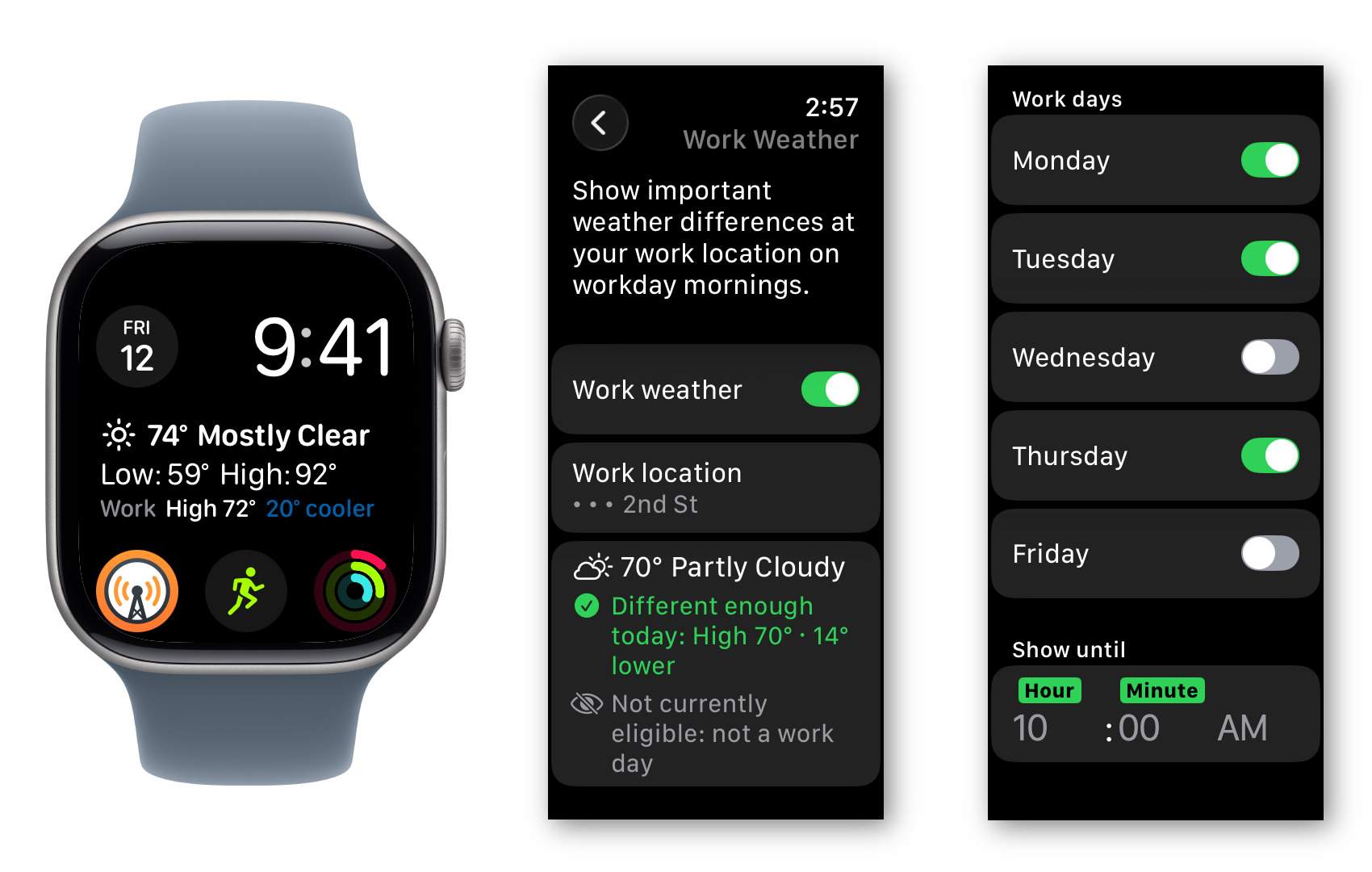
While Mark Twain did not actually say that, I do share the sentiment - I commute into the city (from Cupertino) 3 days a week, and every summer there are days when I realize I am underdressed for the temperatures that await me. I have long wanted to add a “work location” mode to Weather Text, my bespoke weather app. The tedium of coding the configuration UI had always put me off the idea, but it’s now mid-2026, which is a different development era than mid-2024, when the app originated1. Prompted by a recent heat wave, I had a conversation with Codex and ended up with pretty much what I always wanted:

Weather Text work mode screenshots: watch face with complication showing a 20 degree difference between home and work, and the settings to configure work mode

It turned out Codex missed some edge cases and a bit of visual polish, but the feature has been working for me pretty much as intended.

With the app getting this bit of polish, I figured I should capitalize on my momentum and actually publish it to the App Store. Doing a TestFlight build every 90 days got old after the first few times. Worse, I’d occasionally forget, and it would take me a while to notice (the failure mode is a stale complication on the watch face, and the weather around here does not change often).

My rationale for having it be TestFlight-only was that I didn’t want to accidentally end up over the free WeatherKit quota. But the other thing that’s different in 2026 is that the flood of AI-generated apps means that the average app is even less likely to be installed2. With the weather app segment being especially crowded3 I figured the odds of getting unexpected installs were near zero.

I was prepared for some runaround with the App Store review process, since it uses Apple weather data (which has attribution and display requirements) and needs location access. It’s also a watch-only app, which is a more obscure category (and presumably has fewer reviewers assigned). But so far it’s sailed through both submissions I’ve made.

The upshot is that you can now install Weather Text more directly, but please don’t tell your friends.

  1. When I had to copy/paste coding snippets from ChatGPT with gpt-4o, uphill in the snow both ways. 
  2. Since it was somewhat annoying to track down: source article of that graph, which in turn is based on this paper
  3. Even a direct search for the app name does not find it. 

How I consume Bluesky (and Twitter and Mastodon) #

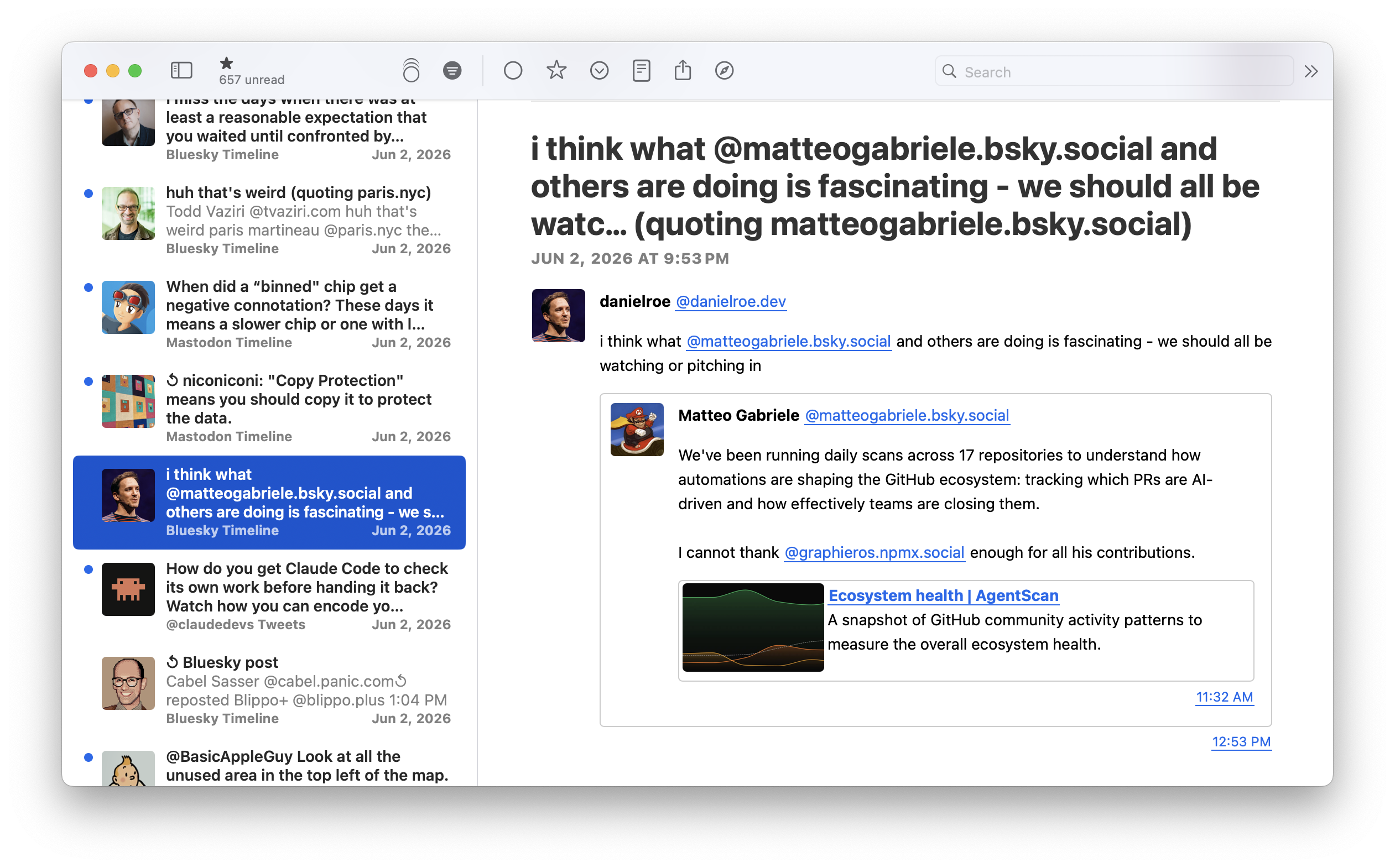
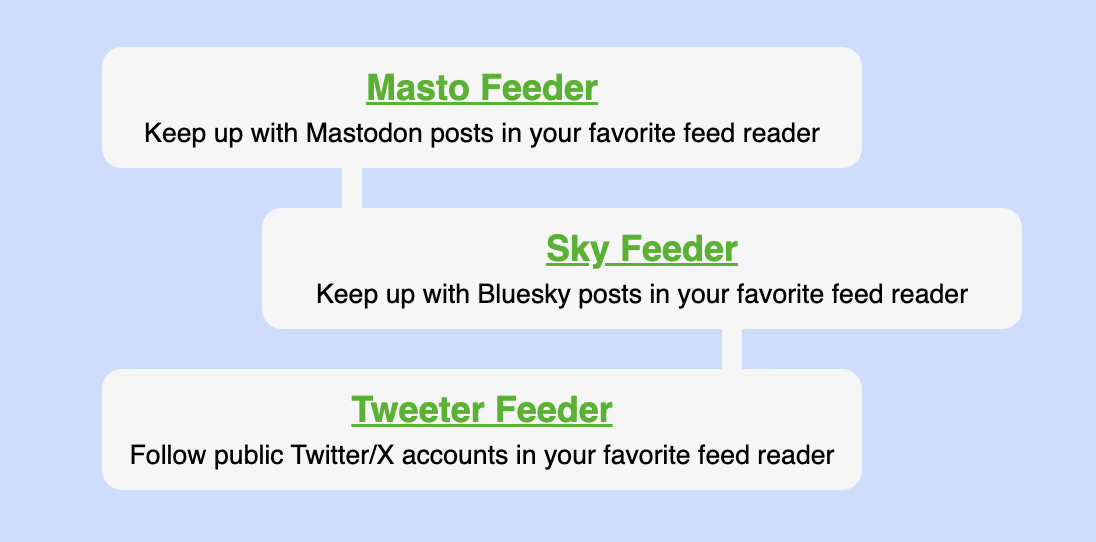
tl;dr: I’ve added Sky Feeder and Tweeter Feeder to join my earlier Masto Feeder tool, allowing me (or anyone else who signs in) to follow accounts from all three social networks in a feed reader.

NetNewsWire showing Bluesky, Mastodon and Twitter posts

In what has now become a trilogy of posts1 I thought I would write up some of the custom tooling that I’ve written to allow me to keep up with Bluesky in a feed reader (in my case, still NetNewsWire). The social network started to take off in mid-2023, and though Mastodon covered my tech/retro interests pretty well, there were some folks (especially wraiters) who had migrated over. I initially used SkyBridge to allow me to treat it as a Mastodon instance in Masto Feeder, eventually moving to my own fork/instance after the shared one got overwhelmed. But the indirection2 and friction when hacking on it3 made it so that it never felt quite right. Some content (like videos) was lost in translation, and the lack of control over the timeline was frustrating - the options were either all replies (including to accounts I don’t follow) or none at all (which filtered out threads). I kept thinking of making my own native tool in Stream Spigot to generate a timeline feed for Bluesky, but the activation energy was too high.

In the meantime, Future Mihai did finally modernize Masto Feeder - in April and May of 2024 I rewrote it from Python 2.74 on App Engine as a SvelteKit app running on Cloudflare Workers. This was a way to both coalesce things on my preferred hosting platform and experiment with a new framework. I made some tweaks since then, but have not had a reason to touch SvelteKit much on this or any other project. Thus the codebase became effectively foreign to me, especially since Svelte 5 introduced runes and made other changes that I had not kept up with. This was definitely a contributing factor to the high activation energy I mentioned above.

Luckily it’s now 2026, and GPT-5.5 (in the Codex desktop app, combined with Context7) is a more qualified SvelteKit programmer than I am or have time to be at the moment. I still have opinions about architecture; for example I directed it to do some preparatory refactoring to share display code with Masto Feeder. The Codex reviews also gave me some additional confidence that I was on the right track, and so Sky Feeder was born. It generates an Atom feed from your Bluesky timeline, publishing it under a “secret” URL that can be used with any feed reader.

The only thing that was missed in the initial Codex-authored PR was how concurrent OAuth token refreshes should be handled - it turned out that serialization was necessary. I doubt that I would have avoided this bug if I had hand-coded everything - it’s the kind of thing that only happens after things have been running in production for a while. Fixing it was also a collaboration with Codex - I had it add additional diagnostic logging and then gave it access to the Cloudflare Observability MCP Server so it could inspect the output and validate the solution.

Empowered by all this, I had Codex build a third tool - Tweeter Feeder for generating a feed for any Twitter/X account. While I had mostly given up on the site, I had been using Nitter’s generated RSS feeds to follow a few people. Nitter is a great service to have around, but it’s quite inflexible5 and even less hackable6. I thus pointed Codex at the Nitter repo, and asked it to reuse the same reverse-engineered Twitter endpoints and auth mechanism for my tool. I only skimmed through the generated code (which has been getting more and more tempting), but it also pretty much worked out of the box, except for some escaping issues7.

Codex also worked out pretty well for more exploratory work. It bugged me that NetNewsWire (possibly due to this change) would show the Stream Spigot favicon for every post, adding redundant visual noise. I had a vague recollection that NNW had some support for per-post images, and Codex validated that the capability exists, but Atom feeds do not populate the avatarURL property of authors while JSON feeds do. It was thus a matter of adding this alternate output mode. Iterating on this was made pretty easy by the Codex remote control feature - it was pretty satisfying to see a bug in NetNewsWire on my phone, switch to the ChatGPT app, find the Codex thread and ask it to fix and redeploy the worker, go back to NNW and see the fix when refreshing the feed.

Stream Spigot homepage showing three tools: Masto Feeder, Sky Feeder and Tweeter Feeder
Stream Spigot: no longer a unitasker

This post came out as being more pro-Codex than I expected. I am also mourning my craft and am not sure how it will all turn out. While I have some general sense of the architecture of this codebase (since the fundamental decisions still date back to the hand-crafted era), I definitely don’t have the same intuition or map of everything in my head that I’ve had with other side projects. I did force myself to fix the escaping issue mentioned above by hand, just to prove that I can find my way around, but we’ll see how long that feeling lasts.

  1. See also 2012’s How I Consume Twitter and 2023’s How I Consume Mastodon 
  2. Bluesky (over atproto) to SkyBridge’s reimplementation of the Mastodon API to my tooling in Stream Spigot 
  3. SkyBridge is a server-side Dart app that runs on Fly.io, neither of which I was interested in learning more about 
  4. 😱 
  5. For example, the entire tweet goes into the feed item title, which worked in the days of 140 characters, but not in today’s world of think pieces disguised as tweets 
  6. I had somehow never heard of Nim before this 
  7. That universal constant - I assume the answer to the last question will also contain a wild " 

Infinite Mac: Resource Fork Roundtripping #

One of the frequent emails that I get about Infinite Mac is “I’ve been copying over these files to every mac I’ve owned for the past 20 (or 30 or 40) years, how can I load them into your site?” While there’s been a “The Outside World” drive from the very beginning, all it can do is a best-effort import/export using available browser APIs. Classic Mac OS used resource forks for structured data and stored additional metadata in the file system (where it belongs). Modern macOS still supports all of this, but unfortunately none of that data is visible to web apps – all they can read is the “data fork” of the file (i.e. its raw contents).

This is a long-standing issue – once Macintosh files started to be distributed over the Internet in the mid-90s, they were usually in a container format like MacBinary or StuffIt to preserve this extra data. While StuffIt is still around, having to download a separate program goes against the ethos of Infinite Mac being as easy to use as possible. After some investigation, I remembered that .zip archives created by modern macOS preserve resource forks ("modern" in this case being relative – this feature dates back to 10.3). Specifically they create a parallel __MACOSX directory structure that has metadata and resource forks in an AppleDouble file.

A while back I added detection of such .zip files, which helped with getting data in. More recently, I also switched the .zip files that Infinite Mac generates when exporting to also use this convention, allowing the Finder to expand and reconstruct the full contents. I also wanted to make this feature somewhat discoverable, and I chanced upon an exemption to the “browsers can’t see resource forks” limitation that I mentioned above – when dragging a whole folder into the window it’s possible to read a file’s resource fork via a magic file/..namedfork/rsrc path (sadly there’s no equivalent for the metadata). I used this to show a notification to remind users of the .zip capabilities.

This video shows these features working together – an old app of mine starts out on the modern macOS host – it can be imported, its vers resource edited, and then exported back out (miraculously today’s Finder still displays information based on it).

Odds and Ends

Using the same notification mechanism, I also made the need to click into the window for emulators that use relative mouse movements (DingsuPPC, PearPC, Previous) more discoverable. Thanks to this tip I figured out how to (ab)use GitHub releases to store large files, letting me finally share the Mac OS X disk images I’ve been using. Finally I fixed some longstanding issues with audio playback in some browsers and stuck modifier keys.

Pair Domains Pricing #

I've been using Pair Domains (née pairNIC) as my default domain registrar for 20+ years. It dates back to my using Pair Networks for website hosting (since 1998, and mscape.com still lives there) - this is a spin-off service. The admin UI is not the fanciest, but it has the control that I need, and the (human) support has always been great.

I recently got a renewal notice for a .com domain, and was a bit surprised at the price – $116.35 for 5 years. My mental model is that it should be closer to $10/year. Pair has changed hands a couple of times in the past few years, first sold to Libsyn in 2018 and then to the more mysterious Your.Online in 2024. The latter is effectively a private equity roll-up, and I was curious if the high prices were due to them. Between the Wayback Machine and my email receipts I was able to put together this historical pricing table:

Year Registration Renewal (5 yr) Renewal (1 yr)
2025 $12 $24.49 $26.99
2024 $11 $20 $23
2023 $11 $19.57 $22.88
2022 $8 $16.57 $19
2021 $8 $16.57 $19
2020 $9.77 $13 $19
2018 $13 $13 $19
2017 $13 $13 $19
2015 $19 $13 $19
2014 $19 $13 $19
2011 $19 $13 $19
2008 $19 $13 $19

It looks like Libsyn started this trend, but the new owners leaned into it even more. The increased divergence between registration and renewal feels like an attempt to rely on laziness/intertia. The renewal price I was quoted was slightly less than the above pricing table ($23.27 vs. $24.49) so perhaps there was some attempt at frog boiling for long-timer customers. But in this case I had already been using Cloudflare's registrar for new projects, so I bit the bullet and did the hour or so of ClickOps to get everything switched over. Not the most satisfying way to spend a weekend afternoon, but hopefully this post can be a PSA for anyone else that has been similarly stuck.

Infinite Mac Construction Set #

tl;dr: You can now embed any OS from Infinite Mac into your website, from 1984’s System 1.0 through 2005’s Mac OS X 10.4. There’s documentation for customizing and controlling embedded instances programmatically. As a demo of what’s possible, Infinite Monkey hooks up an emulated Mac 128K to OpenAI’s and Anthropic’s computer-using models, letting the technologies of 1984 and 2025 to finally meet. The instigator behind all this was Marcin Wichary, whose recent Frame of preference article is another showcase of the embedding capabilities.

A Kindred Spirit

Marcin’s articles – with their attention to detail and passion that they convey – have always struck a chord with me, whether they’re about underrated fonts or underrated movies. I’ve also appreciated that he strives for interactivity, from his Google Doodles to his Config talks. A few months ago, Marcin approached me about doing a modern take on his GUIdebook site, something with a story to tell and a way for readers to experience the material first-hand. Specifically, he wanted a way to embed emulated Mac instances in an article, ideally in as seamless of a way as possible.

Infinite Mac was already used by sites like Classic Macintosh Game Demos, DiscMaster, and Macintosh Repository to host runnable custom instances. But those were full-screen experiences and, in some cases, required a custom fork of the site. I wanted the experience to be closer to a YouTube or Google Maps embed – a snippet of HTML that’s easy to drop into any site, but still controllable via query parameters. To enable this, I added a new /embed endpoint that’s better suited to iframing. In addition to hiding the screen bezel and other chrome, it lets the embedding site control the screen resolution, get notified of the screen contents changing, and send mouse and keyboard events to the emulated Mac.

To keep embedded instances lightweight, I added an option for auto-pausing when they’re hidden. This uses both in-page (IntersectionObserver) and cross-page (visibilitychange) signals to pause and resume the emulator. Fortunately, I didn’t need to implement pausing in each emulator – instead I hooked into their input-reading loop and used Atomics.wait to cheaply suspend execution until the “paused” bit is cleared.

There were a couple of surprises along the way. First, while Chrome lets SharedArrayBuffer work in iframes (via the allow="cross-origin-isolated" attribute), this is not yet supported in Safari/WebKit-based browsers. That made my 2021-era Safari workaround newly relevant. It mostly worked, but it assumed a single global emulator instance which in Marcin’s tests had the hilarious effect of making every Mac on the page receive the same input. I added per-instance tracking so that each one gets its own event stream.

Infinite Mac network request waterfalling

Second, Marcin noticed his custom disk images loaded much more slowly than the built-in ones. Some of that was due to them bypassing Cloudflare’s cache, but even when that was enabled, they were slower. It turned out that prefetching – added in the earliest days of the site, when all it ran was System 7 – had become even more important for more modern Mac OS versions. They read a lot more data at startup, and being blocked for 50-100ms for each chunk adds up when they need to get through a couple of hundred. Extending the prefetching to remote disks too (and caching these prefetched chunks via the service worker) shaved a lot of time off booting the Mac OS 8.5 and NeXTStep images from Marcin’s article.

Infinite Mac embed builder dialog

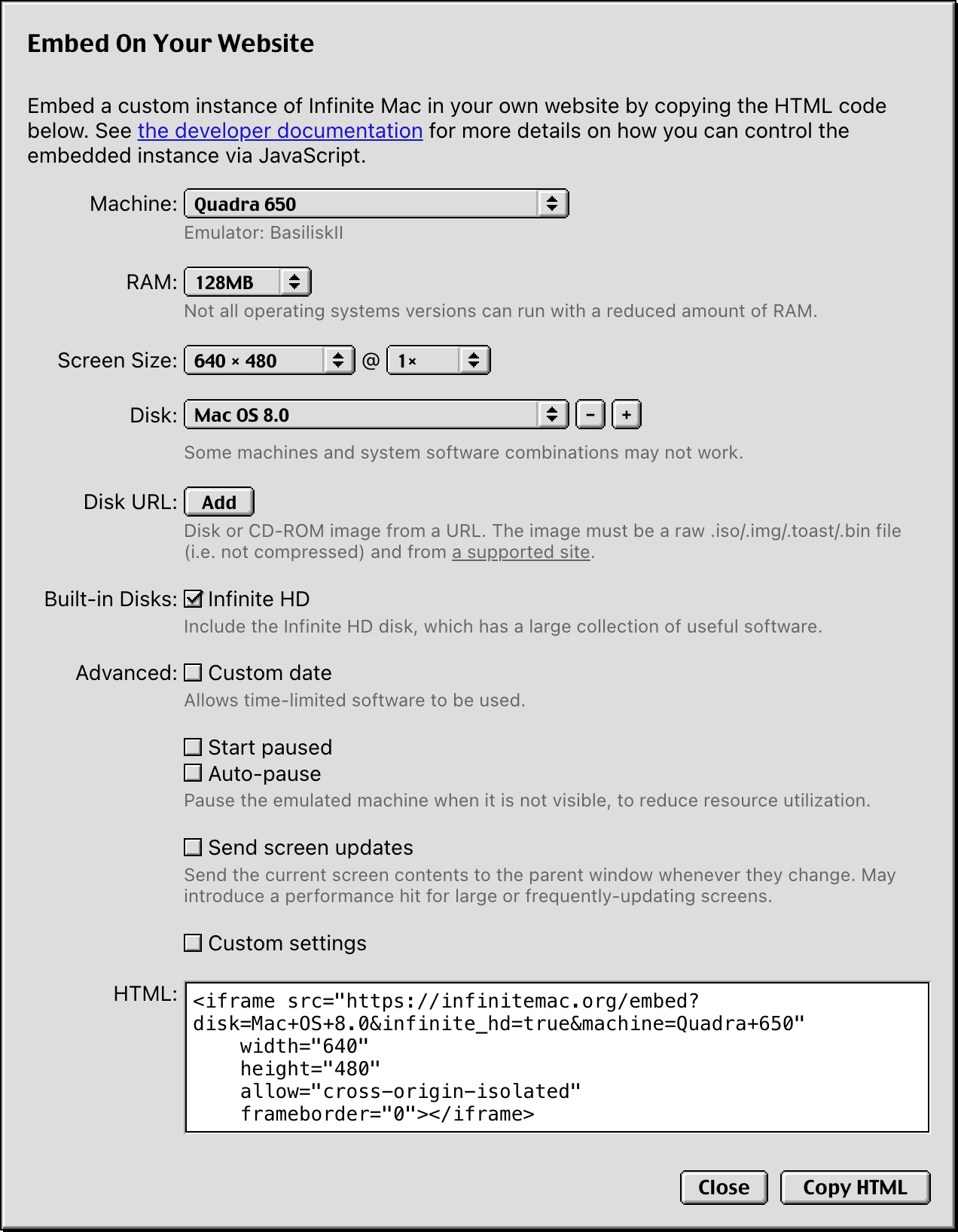
I wanted to make embedding as approachable as possible (well, approachable for those interested in computing platforms from 20 to 40 years ago). There is an embed HTML builder that uses a variant of the custom instance dialog to generate the <iframe> markup for a specific instance (a construction set if you will). I also wrote documentation for the query parameters and message events to control the instance and receive state-change notifications.

Making a Demo Site

Marcin’s article is a kind of demo, and I had a crude testbed, but I wanted to more thoroughly dogfood the embedding support. It occurred to me that its capabilities (get screen content updates, send synthetic input events) made it a perfect fit for the computer use models recently launched by OpenAI and Anthropic. Their demos control a Docker container or other remote environment; having something in the browser is both satisfying (nothing to set up) and safe (the emulation sandbox already limits what the model can do).

The Mac actually has a long history of being controlled by another program, thus the Infinite Monkey site was born (as an aside, the original Monkey desk accessory is installed in the System 1.0 image if you’d like to try it out). Hooking it up was relatively straightforward, the useComputer and useChat hooks have the core glue logic. I even had Claude Code write most of the Anthropic glue code. I went with a “bring your own API key” approach – the models are somewhat expensive, and I did not want the donors to foot the bill. This does make it somewhat less accessible (the OpenAI version of the model is only available for Tier 3 accounts, and possibly not even then). The demo video should help those who don’t have access.

The actual experience of letting an LLM drive System 1.0 is a bit like a dog walking on its hind legs – impressive that it works at all, but objectively a bit underwhelming. The models are slow, it’s definitely faster to use the computer yourself (Anthropic’s own documentation calls this out). They also struggle with the UI conventions of older platforms, especially the press-and-hold mechanics of pull-down menus. OpenAI’s model can’t use them at all, since it can only request click and drag actions. Anthropic’s fares better with its separate left_mouse_down and left_mouse_up, but it often tries to click first, even when instructed otherwise.


OpenAI vs. Anthropic's handling of pull-down menus

This is just one possibility, I’m curious what other things could be built using embedded instances. And if there’s a capability that you wish they had, feel free to file an issue suggesting it.

Odds and Ends

I modernized the site’s Cloudflare setup, adopting both static assets and the official Vite plugin. Both worked as advertised: I have less code to maintain, and the local dev experience is closer to production. It was a welcome change from the usual experience on the frontend dependency treadmill.

The auto-pausing work above also suggested how I might implement a speed setting for more machine types. This fulfills a long-standing feature request to allow older software to run more accurately. It’s somewhat amusing that even in this many-layered environment (an emulator compiled to WebAssembly, which is in turn interpreted or compiled to the native platform) some things can be too fast.

Epilogue: Doctor. Manhattan has nothing on me

  • It is 2006. I am working on making one website (Google Reader) embeddable in another (Gmail).
  • It is 2007. I am working on making one website (Google Reader) embeddable in another (Blogger).
  • It is 2008. I am working on making one website (Google Reader) embeddable in another (iGoogle).
  • It is 2012. I am working on making any web app (Chrome Apps) embeddable in a host environment (Chrome).
  • It is 2017. I am working on making any web app (Live Apps) embeddable in another (Quip documents).
  • It is 2020. I am working on making one website (Quip chat) embeddable in another (Salesforce Lightning).
  • It is 2021. I am working on making one website (Quip documents) embeddable in another (Slack).
  • It is 2022. I am working on making one service (Tailscale SSH) embeddable in another (Tailscale Admin Panel).
  • It is 2023. I am working on making one service (Sierra agents) embeddable in any website or iOS app.
  • It is 2024. I am working on making one service (Sierra agents) embeddable in any Android app.
  • It is 2025. I am working on making one website (Infinite Mac) embeddable in any other.

Infinite Mac OS X #

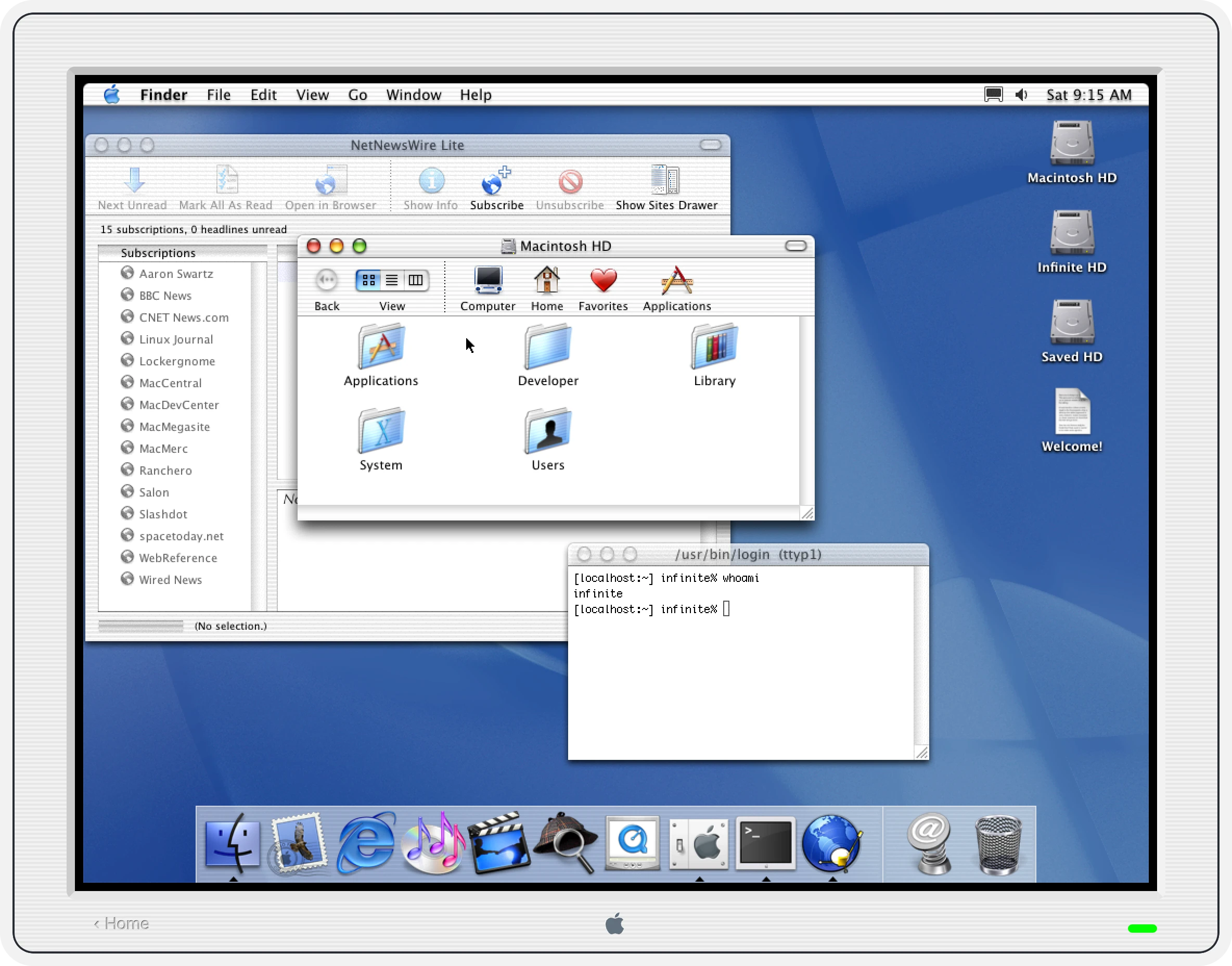
tl;dr: Infinite Mac can now run early Mac OS X, with 10.1 and 10.3 being the best supported versions. It’s not particularly snappy, but as someone who lived through that period, I can tell you that it wasn’t much better on real hardware. Infinite HD has also been rebuilt to have some notable indie software from that era.

Mac OS X 10.1 running NetNewsWire Lite and Terminal

Porting PearPC

I’ve been tracking DingusPPC progress since my initial port and making the occasional contribution myself, with the hope of using it to run Mac OS X in Infinite Mac. While it has continued to improve, I reached a plateau last summer; my attempts would result in either kernel panics or graphical corruption. I tried to reduce the problem a bit via a deterministic execution mode, but it wasn’t really clear where to go next. I decided to take a break from this emulator and explore alternate paths of getting Mac OS X to run.

PearPC was the obvious choice – it was created with the express purpose of emulating Mac OS X on x86 Windows and Linux machines in the early 2000s. By all accounts, it did this successfully for a few years, until interest waned after the Intel switch (sadly one of the authors passed away around then). I had earlier dismissed it as a “dead” codebase, but I decided that the satisfaction of getting something working compensated for dealing with legacy C++ (complete with its own string class, sprintf implementation, and GIF decoder). An encouraging discovery was that kanjitalk755 (the de-facto Basilisk II and SheepShaver maintainer) had somewhat recently set up an experimental branch of PearPC that built and ran on modern macOS. I was able to replicate their work without too much trouble, and with that existence proof I started on my sixth port of an emulator to WebAssembly/Emscripten and the Infinite Mac runtime.

In some ways PearPC not being actively developed made things easier – I didn’t have to worry about merging in changes from upstream, or agonize over how to structure my modifications to make them easier to contribute back. It was also helpful that PearPC was already a multi-platform codebase and thus had the right layers of abstraction to make adding another target pretty easy. As a bonus, it didn’t make pervasive use of threads or other harder-to-port concepts. Over the course of a few days, I was able to get it to build, output video, load disk images, and get mouse and keyboard input hooked up. It was pretty satisfying to have Mac OS X 10.2 running in a browser more reliably than it previously had.

Performance

While PearPC ran 10.2 more reliably, it felt slower than DingusPCC. I had spent some time last year making some optimizations to the latter, partly inspired by the TinyPPC emulator in this SheepShaver fork (aren’t all these names fun?). I ported DingusPPC’s benchmark harness and then set about replicating the performance work in PearPC (both emulators are pure interpreters driven by a lookup table, so the process was relatively straightforward). I was able to shave off about 15 seconds from the 10.2 boot time – it helps from a saving lives perspective, but is still not enough given that it takes almost 2 minutes to be fully operational. In the end, I copped out and added a UI disclaimer that Mac OS X can be slow to boot. I also got flashbacks to the “is it snappy yet?” discussions from the early days of Mac OS X – it was indeed slow, but not this slow.

Performance is still not as good as DingusPPC’s – the biggest bottleneck is the lack of any kind of caching in the MMU, so all loads and stores are expensive since they involve complex address computations. DingusPPC has a much more mature tiered cache that appears to be quite effective. More generally, while PearPC may be more stable than DingusPPC at running 10.2-10.4, it’s a much less principled codebase (I came across many mystery commits) and it “cheats” in many ways (it has a custom firmware and video driver, and only the subset of PowerPC instructions that are needed for Mac OS X are implemented). I’m still holding out hope for DingusPPC to be the fast, stable, and correct choice for the long term.

A Side Quest

I implemented the “unified decoding table” approach in PearPC’s interpreter one opcode family at a time. When I got to the floating point operations, I assumed it was going to be another mechanical change. I was instead surprised to see that behavior regressed – I got some rendering glitches in the Dock, and the Finder windows would not open at all. After some debugging, I noticed that the dispatching for opcode groups 59 and 63 didn’t just do a basic lookup on the relevant instruction bits. It first checked the FP bit of the Machine State Register (MSR), and if it was not set it would throw a “floating point unavailable” exception.

I initially thought this was the emulator being pedantic – all PowerPC chips used in Macs had an FPU, so this should never happen. However, setting a breakpoint showed that the exception was being hit pretty frequently during Mac OS X startup. The xnu kernel sources of that time period are available, and though I’m not familiar with the details, there are places where the FP bit is cleared and a handler for the resulting exception is registered. I assume this is an optimization to avoid having to save/restore FPU registers during context switches (if they’re not being used). The upshot was that once I implemented the equivalent FP check in my optimized dispatch code, the rendering problems went away.

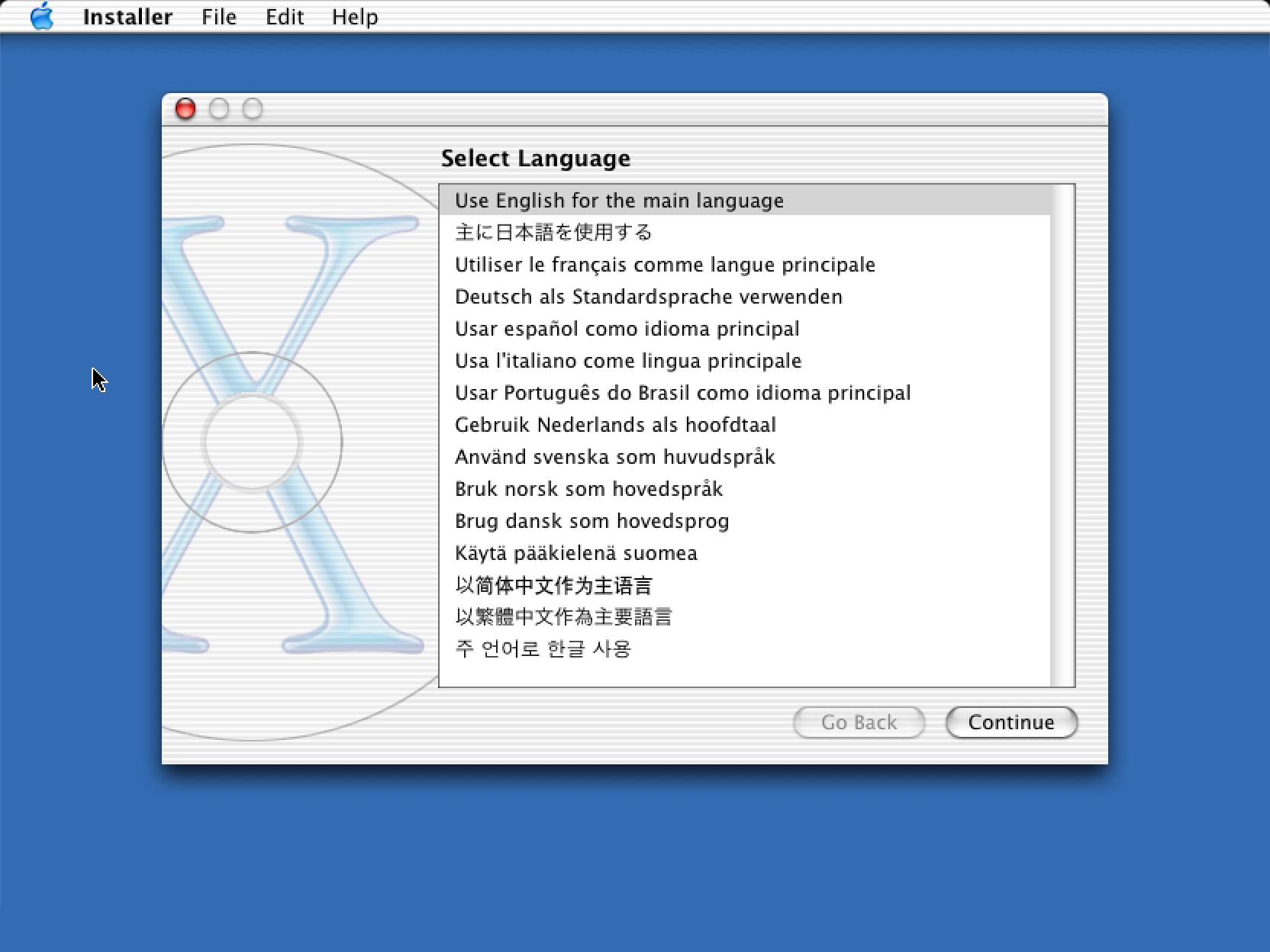
This reminded me of the rendering glitches that I had encountered when trying to run Mac OS X under DingusPPC. Even when booting from the 10.2 install CD (which does not kernel panic) I would end up with missing text and other issues:

Mac OS X 10.2 installer showing text rendering glitches

Checking the DingusPPC sources showed that it never checked the FP bit, and always allowed floating point instructions to go through. I did a quick hack to check it and raise an exception if needed, and the glitches went away!

Mac OS X 10.2 installer correctly rendering text

The proper implementation was a bit more complicated, and I ended up revising it a bit to avoid a performance hit (and another contributor did another pass). But at the end of it all, DingusPPC became a lot more stable, which was a nice side effect. Better yet, it can run 10.1 reliably, which PearPC cannot. I ended up using a combination of both emulators to run a broader subset of early Mac OS X (unfortunately 10.0 is still unstable, and the Public Beta kernel panics immediately, but I’m holding out hope for the future).

Rebuilding Infinite HD

Part of the appeal of Infinite Mac is that the emulated machines also have an “Infinite HD” mounted with a lot of era-appropriate software to try. With Mac OS X running, it was time to build an alternate version that went beyond the 80s and 90s classic Mac apps I had collected. I had my favorites, but I also put out a call for suggestions and got plenty of ideas.

For actually building the disk image, I extended the automated approach that I first launched the site with. Disk images were even more popular in the early days of Mac OS X than they are today, so I added a way to import .dmgs as additional folders in the generated image. However, I quickly discovered that despite having the same extension, there are many variants, and the hdiutil that ships with modern macOS cannot always mount images generated more than 20 years ago. In the end I ended up with a Rube Goldberg approach that first extracts the raw partition via dmg2img and then recreates a “modern” disk image that can be mounted and copied from.

As for getting the actual software, the usual sites like Macintosh Garden do have some from that era, but it’s not a priority for them. Early to mid 2000s Mac OS X software appears to be a bit of a blind spot – it’s too new to be truly “retro”, but too old to still be available from the original vendor (though there are exceptions). I ended up using the Wayback Machine a lot. As a bonus, I also installed the companion “Developer” CDs for each Mac OS X version, so tools like Project Builder and Interface Builder are also accessible.

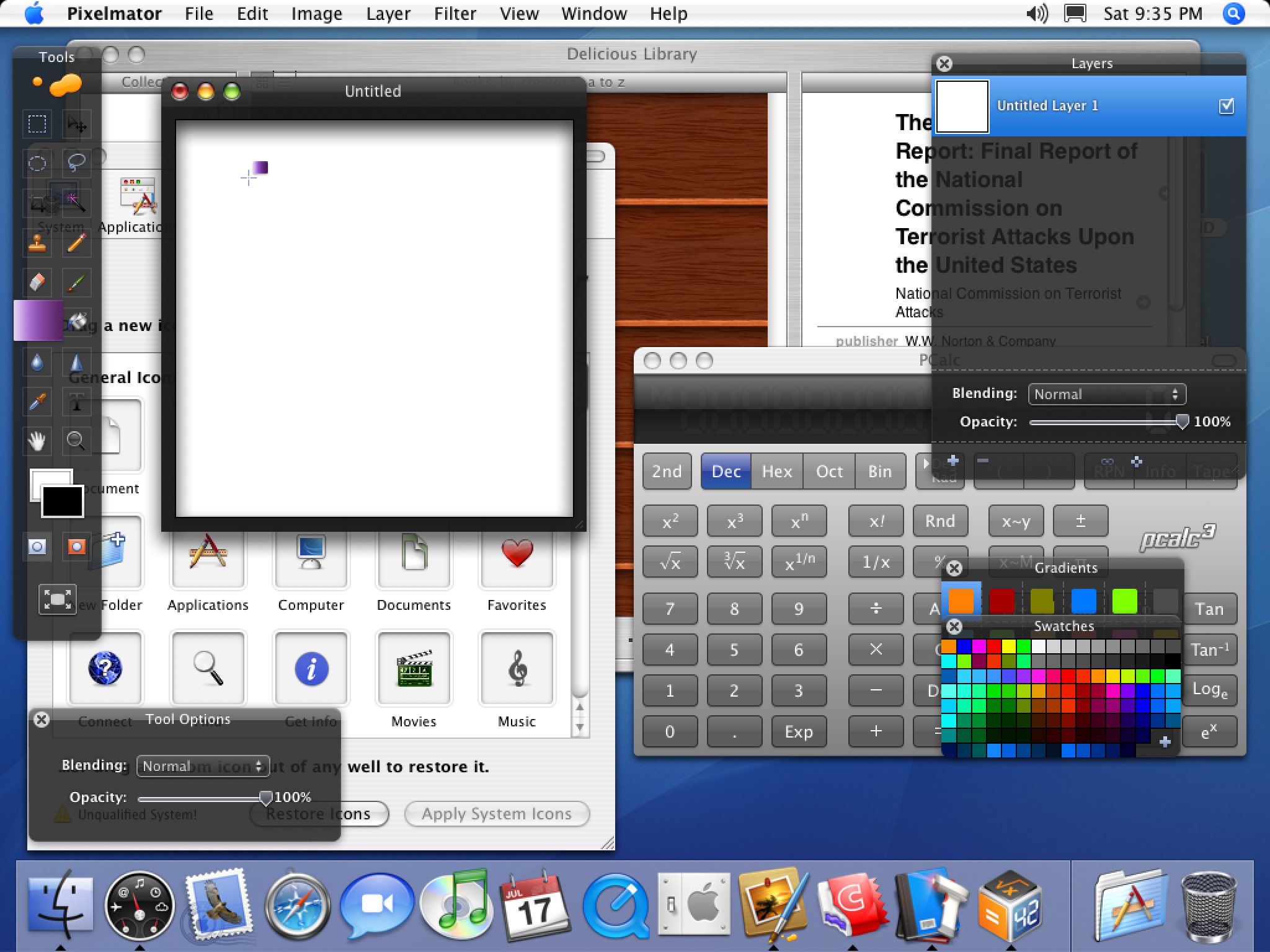
Mac OS X 10.4 running Delicious Library, CandyBar, PCalc and Pixelmator

The only limitation that I ran into is that my disk build process is centered around HFS, but HFS+ was the default of that time period, and it introduced more advanced capabilities like longer file names containing arbitrary Unicode characters. Files from disk images that rely HFS+ features do not translate losslessly, but luckily this was not an issue for most software. To actually mount multiple drives (up to 3, between the boot disk, Infinite HD, and Saved HD), I ended up borrowing a clever solution from a DingusPPC fork: a multi-partition disk image is created on the fly from an arbitrary number of partition images that are specified at startup.

Aqua

To make the addition of Mac OS X to Infinite Mac complete, I also wanted to have an Aqua mode for the site’s controls, joining the classic, Platinum, and NeXT appearances. That prompted the question: which Aqua?

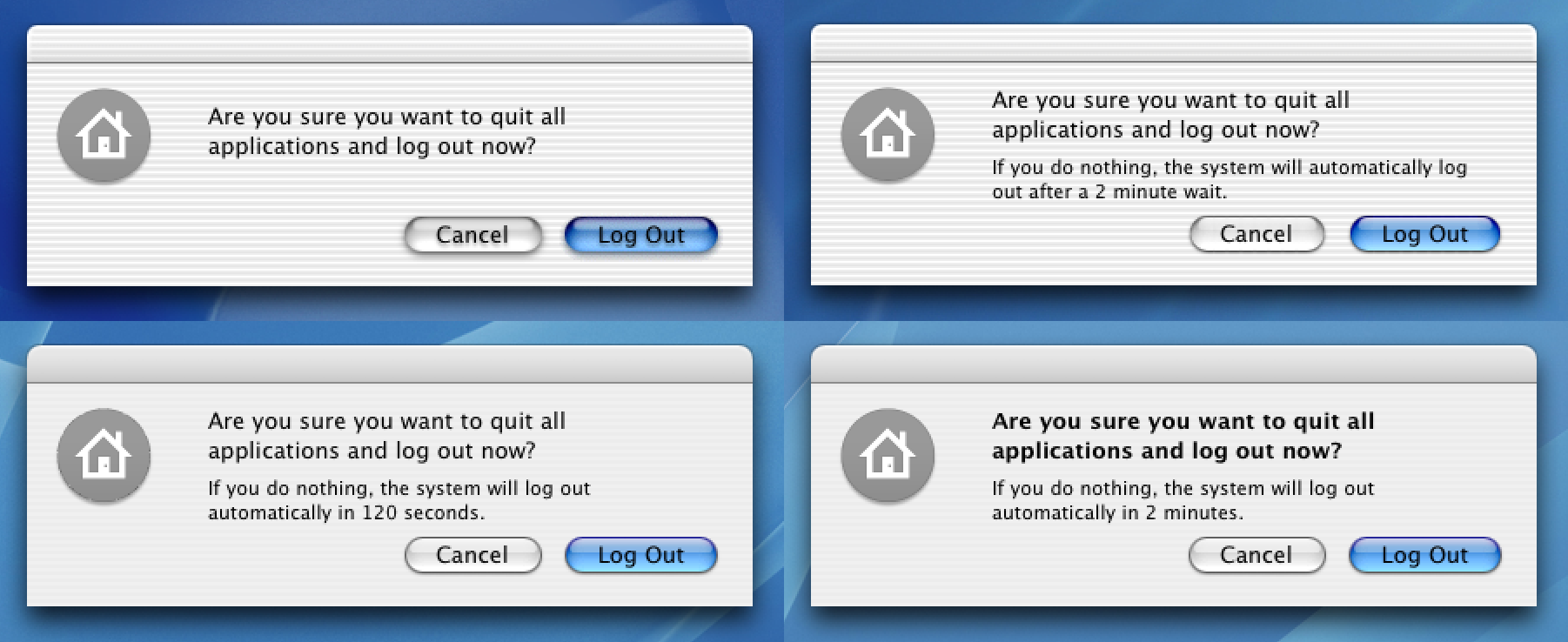
Screenshots of the logout dialog in Mac OS X 10.1 to 10.4
Aqua: the early years

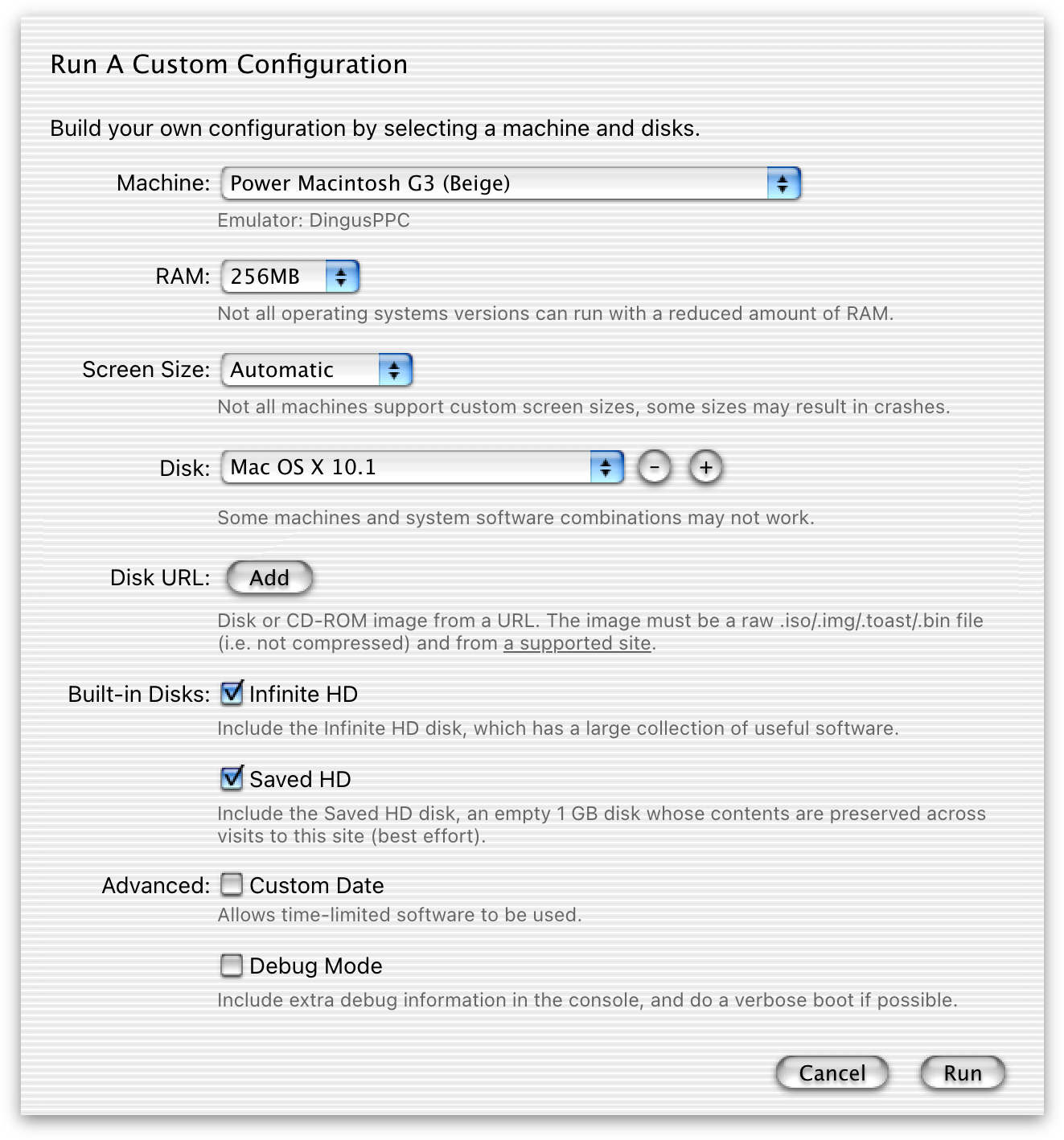
Though the more subdued versions from 10.3 and 10.4 are my favorites, I decided to go with the 10.0/10.1 one since it has the biggest nostalgia factor. I wanted to use the exact same image assets as the OS, and since they make heavy use of semi-transparency, regular screenshots were not going to be good enough. I used resource_dasm and pxm2tga to extract the original assets from Extras.rsrc and create my own version of Aqua:

Infinite Mac custom instance configuration dialog, rendered with an Aqua appearance

If the recent rumors of a big UI revamp do come true, it’ll be nice to have this reference point of its ancestor.

Odds and Ends

The ability to mount multiple images means that you can also have a Mac OS 9 partition and start the Classic compatibility environment (this only works under 10.1 – PearPC never supported Classic). You can thus emulate classic Mac apps inside an emulated Mac OS X inside a WebAssembly virtual machine:

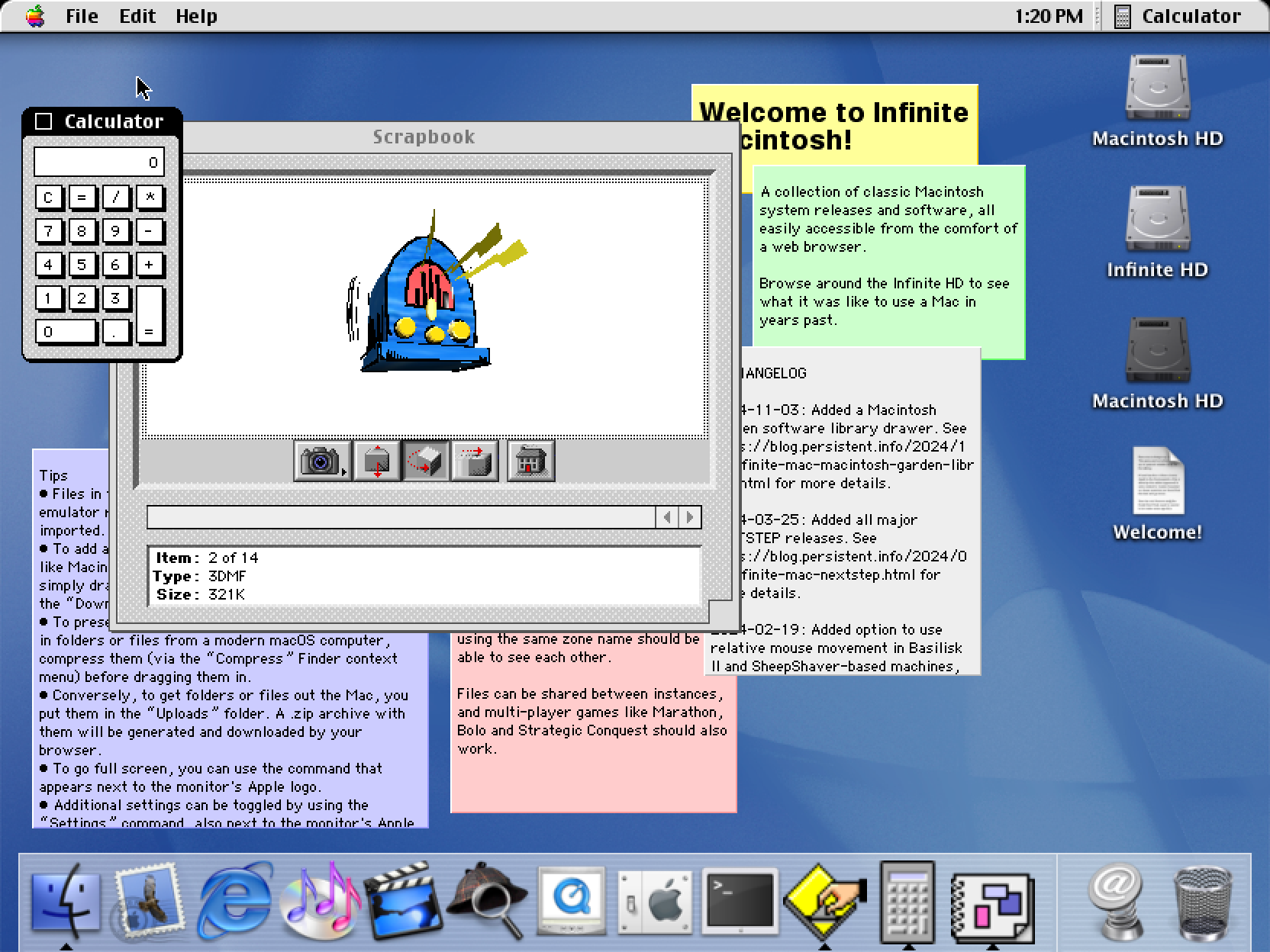
Mac OS X 10.1 running Stickies, Scrapbook and Calculator under Classic

There was a recent storm in a teacup about a Calculator behavior change. Using these Mac OS X images, it’s possible to verify that versions through 10.3 didn’t have the “repeatedly press equals” behavior, but 10.4 did.

Since Mac OS X boot is rather slow, I wanted to have a way to show more progress. PearPC has a built-in way to trigger verbose mode, but DingusPPC did not, so I added a way to specify Open Firmware variables at startup. This is now exposed in the custom instance dialog via the “Debug Mode” switch.

Though I’ve moved away from custom domain names, I thought macosx.app would make a nice addition to my collection. Unfortunately it’s taken, though in a rather weird way. I even contacted the YouTuber whose video it redirects to, and he said he was not the one that registered it. It expires in a couple of months, so maybe I’ll be able to grab it.

The End Of The Line?

“When Alexander saw the breadth of his domain, he wept for there were no more worlds to conquer.”
Hans Gruber Plutarch Some Frenchman

Mac OS X support catches Infinite Mac up to the modern day, unless I happen to get access to some time travel mechanics. There are of course two more CPU transitions to go through and numerous small changes, but Tiger is fundamentally recognizable to any current-day macOS user.

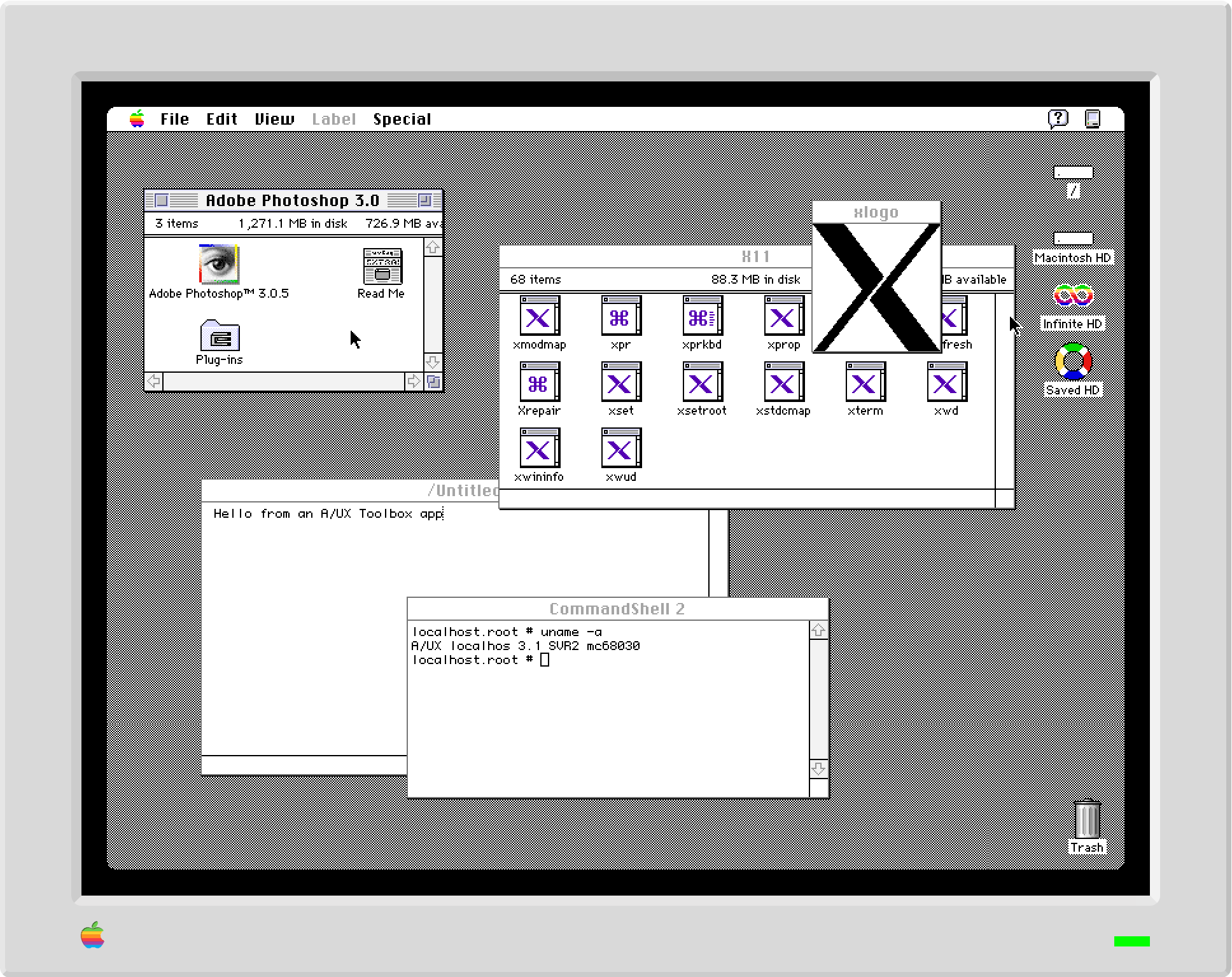
Except that in the retrocomputing world, it’s always possible to go deeper or more obscure. A/UX is not something that I’m very familiar with, but it was a contemporary of classic Mac OS and would be interesting to compare to NeXTStep. Shoebill runs it, and the codebase looks approachable enough to port. Then there’s Lisa, the Pippin (DingusPPC has some nascent support), and further afield the Newton (via Einstein?). We’ll see what moves me next.

A Post-Credits Sequence

When I first began exploring ways of running Mac OS X, I mentioned that QEMU seemed too daunting to port to WebAssembly given my limited time. Furthermore, the performance of the qemu.js experiment from a few years ago made it seem like even if it did run, it would be much too slow to be usable. However, I recently became aware of qemu-wasm via this FOSDEM presentation. The performance of its Linux guest demos is encouraging: I ran an impromptu bennmark of computing an MD5 checksum of 100 MB of data and it completed it in 8 seconds (vs. 13 for DingusPPC and 18 for PearPC). There’s still a big gap between that and a graphical guest like Mac OS X, but it’s nice to have this existence proof.

Update: See also the discussion on Hacker News.

Gardening Week: Evergreen Engineering #

New company, new corporate blog for me to post on. Gardening Week is a post about an engineering team ritual that we've developed at Sierra. Once again you can tell that it was not ghost-written because I got to cram in a lot of links to obscure articles.

More seriously, it's been great to be at Sierra from the start and get to influence the engineering culture in such a fundamental way. I know tech company blog posts can paint overly rosy pictures, but Gardening Week is genuinely one of my favorite parts about working here.

Infinite Mac: Macintosh Garden Library #

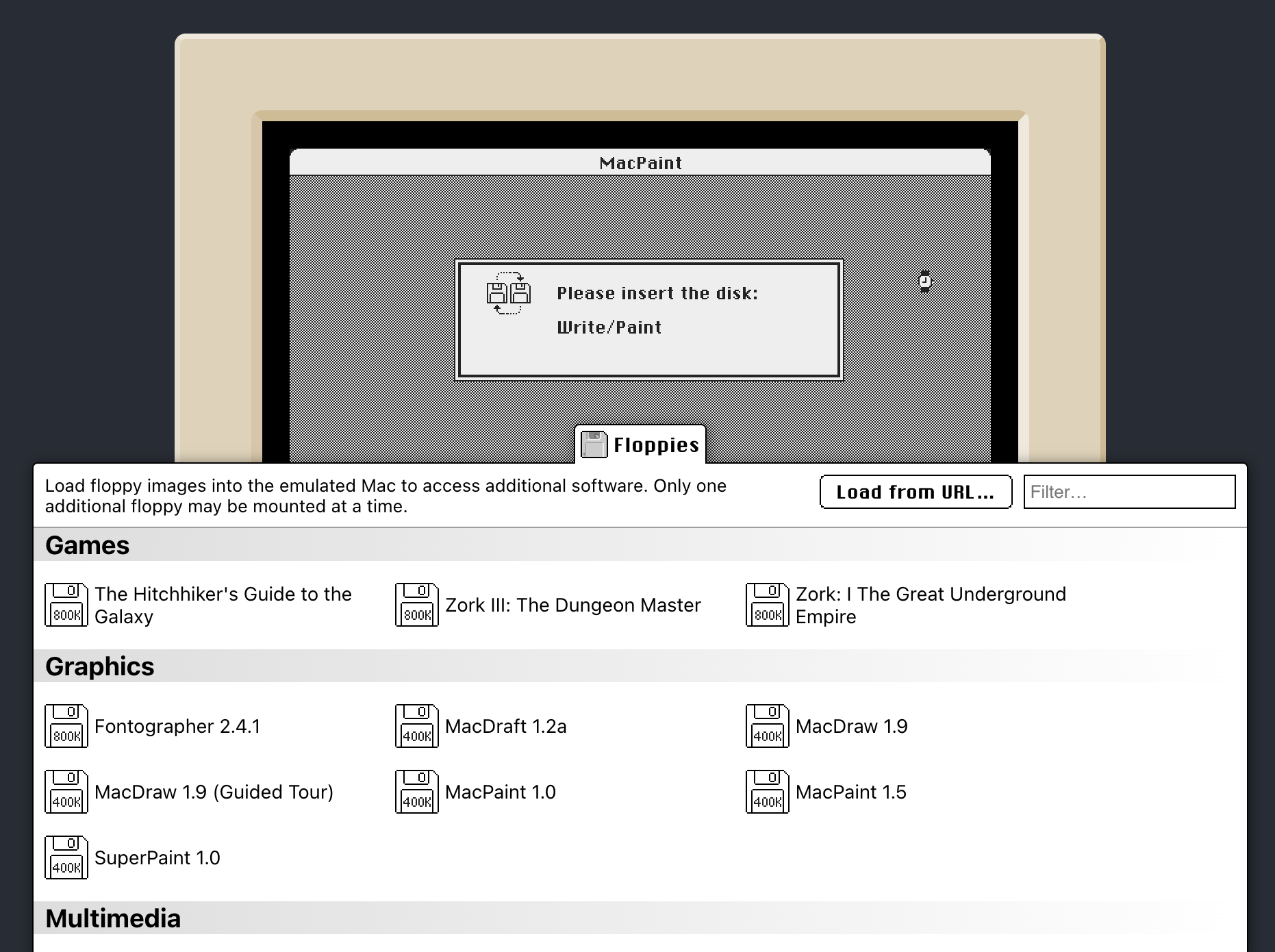
The Macintosh Garden is a great resource in the retro Mac community. It has an archive of nearly every piece of software released in the 80s and 90s, complete with screenshots, manuals, and metadata like year of release and operating system requirements. From its debut Infinite Mac would let you use files from the Garden: download it to your computer, and then drag it in to have it appear in the “Downloads” folder.  But while doable, it’s not the same as being discoverable or pleasant to use if you wanted to do this more than a few times. 

Inspired by the CD-ROM library feature, I decided to investigate what it would take to add a “Macintosh Garden” drawer to the site. The goal was to allow any item in the Garden’s catalog to be loaded into the emulated Mac with one click (at least for the versions that support “The Outside World”, which is most from System 7 to Mac OS 9). I reached out to the Garden’s maintainer, who was on board with the project and even provided a JSON dump of the site’s catalog of 20,000 applications and games. Building the UI was a fun exercise in making the CD-ROM drawer into a reusable component - another contribution to my collection of Classic- and Platinum-themed UI controls.

In keeping with the secondary goal of Infinite Mac bringing the best of web technologies to retro-computing, I wanted the Macintosh Garden drawer to be as fast as possible. The entire catalog was 86 megabytes of JSON, which would take a while to load, even with gzip compression (27 MB). I decided to create a custom data format, with only a small index file being necessary to render the drawer list view and support search-as-you-type. It contains plain JavaScript arrays with known indices for the title, author, and other data. This approach (inspired by the JsPbLite format) minimizes redundancy while keeping decoding simple. The file is 1.5 MB, and only 439 KB when compressed with gzip, which - combined with preloading - makes the drawer pretty snappy.

A separate “details” file with descriptions, download URLs, and other information is loaded by the Cloudflare worker, which serves pieces of it on-demand. The worker also handles proxying of downloads from the Garden, both to avoid running into CORS issues and because Cloudflare’s caching should help with frequently-used items. For downloads that are large CD-ROM images, the HTTP range-based streaming approach from the CD-ROM library is also used to help with performance.

The search UI supports operators, which were implemented by a simple predicate function run as part of a linear search (the data set is small enough that fancier indexing is not required). As a small UI touch, I finally got to use scroll snap for something (the carousel view for screenshots). I also added support for triggering downloads of an item via a URL parameter, so it’s possible to share links to a favorite item.

In terms of other Infinite Mac-related work, it’s been relatively quiet. I have been tracking DingusPPC development, and it’s now possible to (sometimes, very slowly) boot Mac OS X 10.2. I also made some small quality-of-life improvements: more control over scaling, it’s harder to accidentally close the site via Command-W, and era-appropriate fonts are now used.

Weather Text: My Own Bespoke Weather App #

I was a happy user of the Dark Sky weather app for many years. Even more than the localized and timely notifications (I live in a place with predictable weather) I appreciated its Apple Watch complications. I specifically used the three-line textual summary shown in the middle of the Modular face.

Apple Watch Modular face with Dark Sky complication
My preferred Apple Watch face, circa 2022

Apple acquired Dark Sky in 2020, incorporated many of its features into the built-in Weather app (with iOS 16/watchOS 10), and shut down the original app at the end of 2022. Unfortunately the complication layout was not carried over – the only large complications are multi-hour/day graphs that have too much information and are hard to see at a glance. On my iPhone, I first switched to Weather Line (RIP) and later to Weather Strip, but neither had a watch app. I considered CARROT Weather, which has customizable complications, as a possible replacement. However, it couldn’t replicate the same layout, and paying for a separate subscription just for a watch app seemed wasteful.

On the other hand my time is free, and I figured that with WeatherKit (the one good thing to come out of the Dark Sky acquisition), I could build my own complication that showed exactly what I wanted. I procrastinated doing this for more than a year (squinting at the Weather complication every morning and thinking “I should do something about this”) but I reached a lull in Infinite Mac development and decided to once again work on an Apple platform developed in this century. It turns out that my procrastination paid off: watchOS 9 introduced WidgetKit for complications and Xcode 15 made wireless debugging (the only option for Apple Watch development) more reliable.

After fighting a bit with my old nemesis, provisioning profiles, and figuring out how to get location access in a widget (which may change in the future), I had something up and running. WeatherKit makes it particularly easy to replicate the Dark Sky complication – there’s even a property to get an SF Symbol for the current conditions and pre-computed sunrise/sunset times

Weather Text is the resulting app - it has a minimal watch UI to request location access and show a preview, but the main focus is the complication/widget (which also shows up in Smart Stack).

Weather Text app screen Apple Watch Modular face with Weather Text complication

I decided not to put the app on the App Store. WeatherKit has a limited free quota, and while it was unlikely that the app would suddenly boom in popularity, I didn’t want to worry about it. I could have made the app paid up-front to deter casual installs, but my App Store account is not set up for payments, and I didn’t want to go through the hassle of that.

The app is instead available via TestFlight, which is hopefully enough of a deterrent that I’ll remain under the free limit (and builds expiring every 90 days also gives me additional control). I would have thought that only going through the lightweight TestFlight approval would exempt me from review shenanigans. However, I still had to change my original icon, despite the presence of plenty of other dark background icons, including the original Dark Sky one.

Weather Text is a home cooked meal/hammer kind of app, mostly meant for me (though I’m not the only one who misses Dark Sky’s complications). I don’t have grand ambitions for it, it’s not a forever project (modulo minimal upkeep to make sure it works with new OS releases). Though modern platforms don’t have quite as much end-user programmability as they used to (though widget.json/Widget Construction Set and Scriptable look interesting), as a middle-aged gentleman programmer it’s nice to still be able to make them fit exactly to my needs.

Infinite Mac: Turning To The Dark Side #

tl;dr: No, not Windows¹, but I’ve decided to expand Infinite Mac to the the black hardware that Mac users secretly lusted after in the 80s and 90s: NeXT.  There is now a runnable collection of all notable NeXTStep versions, going from the initial 0.8 preview in 1988 to the final OPENSTEP 4.2 release in 1997.

NeXTSTEP 3.3 running DOOM, DoomEd and WorldWideWeb

Porting Previous

About a year ago I came across the Previous emulator – it appeared to be a faithful simulation of the NeXT hardware and thus capable of running NeXTStep. While including it in Infinite Mac would be scope-creep, NeXT’s legacy is in many ways more relevant to today’s macOS than classic Mac OS. It also helped that it’s under active development by its original creator (see the epic thread in the NeXT Computers forums), and thus a modern, living codebase².

Previous is the fifth emulator that I’ve ported to WebAssembly/Emscripten and the Infinite Mac runtime, and it’s gotten easier. As I'm doing this work, I’m developing more and more empathy for those doing Mac game ports – some things are really easy and others become yak shaves due to the unintended consequences of choices made by the original developers. Previous is available on multiple platforms and has good abstractions, so overall it was a pretty pleasant experience.

The main challenge was the pervasive use of the SDL library – I don’t want any of it as a platform abstraction, since I have my own. I chose to replace the entry-point and several subsystems to avoid bringing in too much SDL code. Even with that, I still needed to have some stub files for dependencies that I couldn’t omit altogether. On the other hand, it was a pleasant surprise that adding sound support was trivial — the APIs that it needed mapped 1:1 with the ones I’d already exposed from the Infinite Mac runtime.

With the initial emulator being brought up, there were some more fun tasks, like adding a NeXT-style monitor frame and a NeXT appearance to the Infinite Mac controls (working on them is giving me Kaleidoscope scheme flashbacks).

Infinite Mac custom instance configuration dialog, rendered with a NeXTStep appearance

Once I had Previous running I did some profiling and was discovered the same excessive wasm-to-js/js-to-wasm ping-ponging that I noticed in DingusPPC – it also uses setjmp/longjmp to implement an exception handling mechanism for the MMU. The fix was also very similar: intentionally add an extra wrapping function that contains the CPU emulation loop.

The performance impact of the fix was not as noticeable because Previous tries to accurately simulate the performance characteristics of the original hardware (this is also why boot times are much longer). In fact, I had originally missed the speed checking that the native main loop does, and the emulator was running too fast, leading to timing-dependent things like double-clicking not working.

Speaking of mouse input, Previous uses relative mouse input — it accurately simulates real hardware so all it can do is behave as though a physical mouse is moving and generating updates. This was the case with DingusPPC too, and while the Pointer Lock API makes this work reasonably well on desktop browsers, it’s not a good fit for the mobile web. To make input more accessible on touch-enabled devices, I added a virtual trackpad mode that turns swipes and taps on the screen into mouse movements and clicks. This also helps with double-clicking and making pre-Mac OS 8.0 pull-down menus more usable, though it is somewhat finicky to trigger the drag-lock gesture (I now see why it’s so hard for other touchpad vendors to replicate all of Apple’s gestures).

As part of doing some of the integration work I became aware of just how much of a minority player NeXT was in the 80s and 90s computing world (even more so than Macs). For example, they had their text encoding/character set, and while Python (and other systems) have native support for the contemporary MacRoman encoding, I had to add my own to handle NeXT’s. Similarly, there is a convenient Python library for dealing with HFS disk images, but I could not find any for the UFS variant that NeXT used³.

The disk images with NeXTStep installs are quite large (hundreds of megabytes per version), and the Workers KV-based storage that I had been using was becoming increasingly ill-suited for them (and expensive). As part of this project I also switched to Cloudflare R2 (their S3-like object storage system). On one hand I’m not thrilled with the site becoming dependent on additional services, but on the other I do want to keep costs down. Luckily the dependency is not invasive — it would be trivial to store the disk chunks anywhere else (or to keep storing them as static files, the way I do in the local dev server).

Exploring NeXTStep

Although I was familiar with NeXTStep at a theoretical level and had spent a few hours using a slab in the mid 1990s, this was my first time using it in-depth. My first observation was that having it side-by-side with the contemporary Mac system software makes it even more apparent how much of an advance it was.

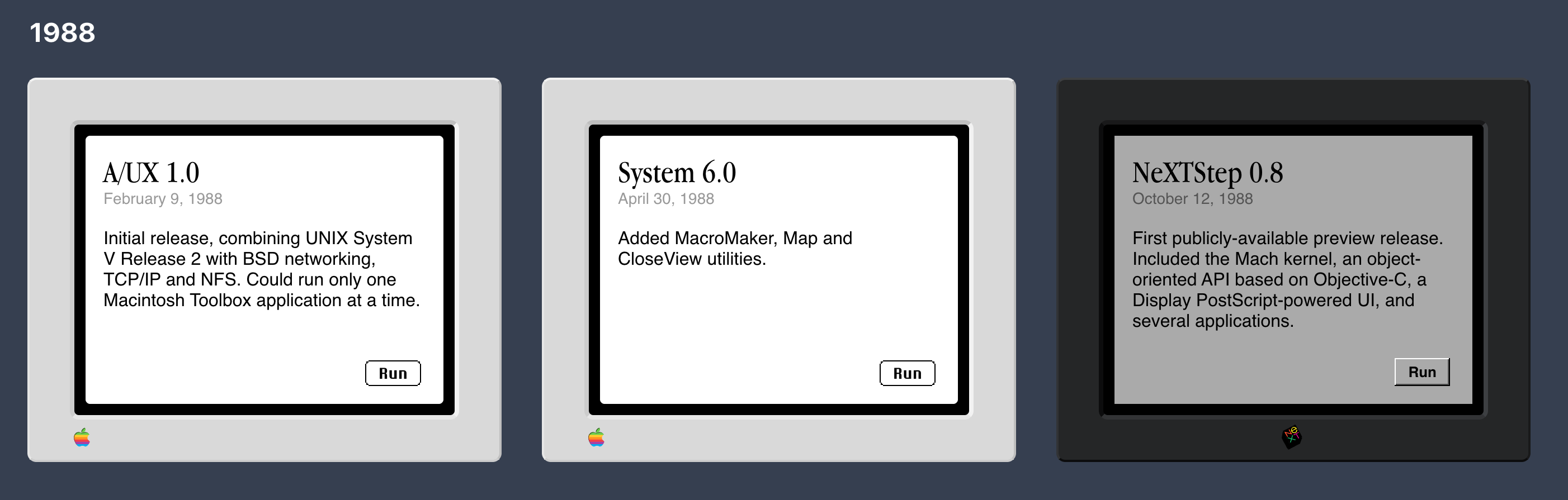
Notable OS releases of 1988: System 6.0 and NeXTStep 0.8
System 6.0 and NeXTStep 0.8: two very different releases from 1988

As I was preparing the system images with the various NeXTStep/NexTSTEP/OPENSTEP releases⁴, it was fascinating to see NeXT’s various strategy shifts over the years represented in the canned email from Steve Jobs that was present in the Mail app:
Steve Jobs email from NeXTStep 2.0 Steve Jobs email from NeXTStep 3.0 Steve Jobs email from NeXTSTEP 3.3
Strategy du jour: productivity (NeXTStep 2.0), multimedia and internationalization (NeXTStep 3.0), object-oriented development (NeXTSTEP 3.3)

I was also amused to notice a parallel with the early Mac system releases: the initial release is hard to find in pristine form (a copy of System 0.97 was only tracked down late last year). In both cases it’s it because of the very small number of copies produced, and because they shipped on read/write media (floppy disks for the Mac, magneto-optical disks in NeXT’s case), and thus ended up being used for personal storage too. For NeXTStep 0.8 the archive of images that forum member mikeboss created was the best source that I could find, though I’m happy to switch things over if a better one turns up.

As part of installing all of the OS versions I discovered that starting with NeXTStep 3.0 there is support for the HFS file system used by contemporary Macs. This means the Saved HD drive that has persistent storage also ends up working here. It can even be used as a virtual sneakernet to move data between NeXT and Mac installations on Infinite Mac (which means that it’s possible to get data in and out of the machines via Macs which have “The Outside World“ drive).

To make the systems more than a quick curiosity, I also created a NeXT version of the “Infinite HD” drive with pre-installed software. I had read stories about Doom and WorldWideWeb being developed on NeXTStep, and it was nice to make them accessible. I also added a NeXT version of the CD-ROM library feature, with one-click access to disks that have been preserved at the Internet Archive.

NeXT CD-ROM Library on Infinite Mac

As part of finding more NeXT software to try out, I came across Daydream, which allows Mac software to run on black hardware. It’s technically not an emulator, instead it takes advantage of the fact that NeXT and Macs both used the Motorola 68K CPUs. It effectively turns your NeXT machine into a Mac that you dual-boot via the help of an adapter kernel. The original version needed a hardware dongle with genuine Mac ROMs, but a few years ago the NeXT Computers forum resurrected it such that it can run entirely via software. It’s this variant (known as Darkmatter) that is included on Infinite HD. In some ways this justifies the whole Previous side-quest — it’s just a more convoluted way to run the same classic Mac software as the rest of the Infinite Mac emulators.

Darkmatter running System 7.1 emulated on NeXT hardware emulated in Previous in a browser

Things happen

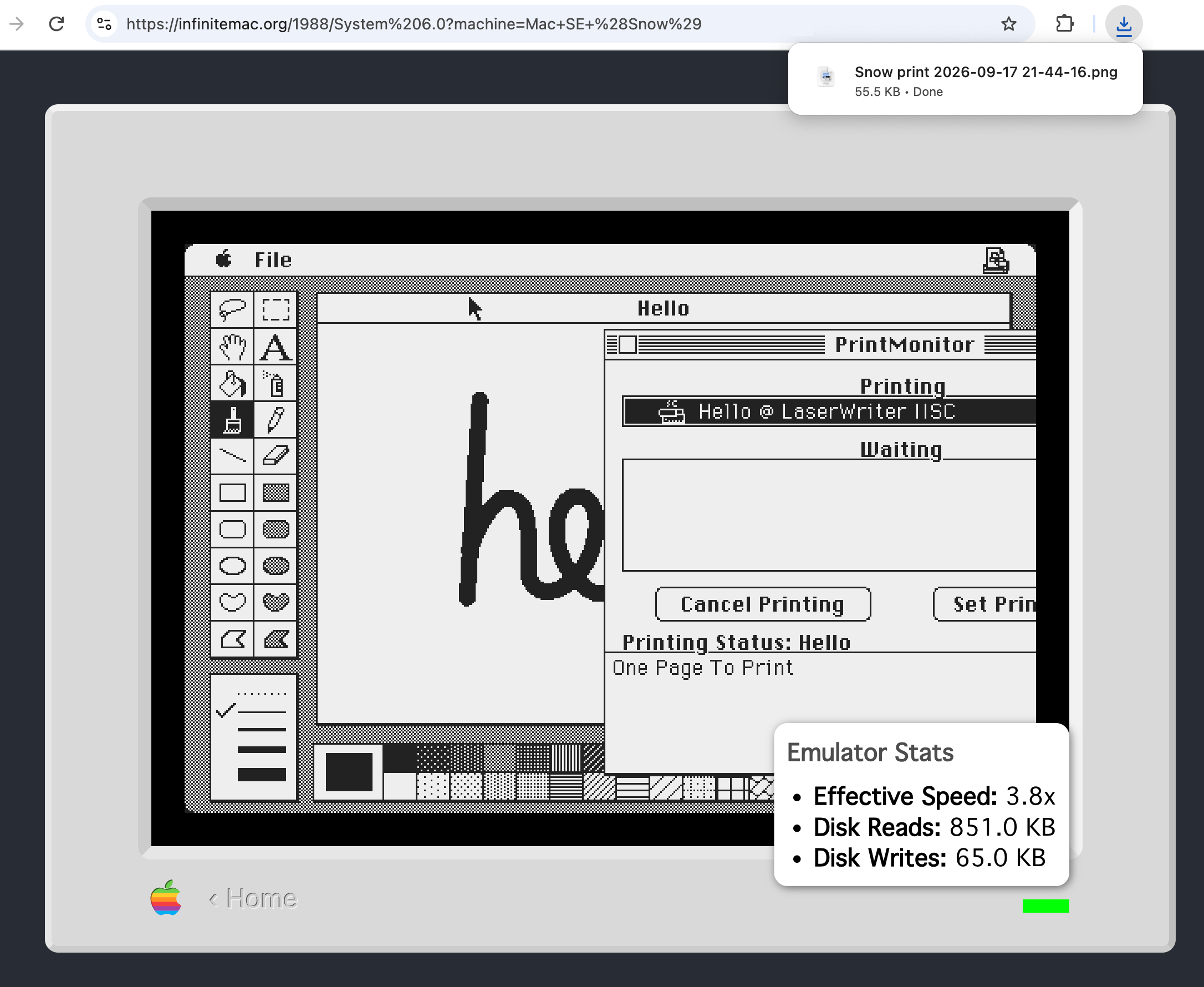
Christopher Nolan (sort of) knows about Infinite Mac. I did a minor site redesign. After recalling the KanjiTalk New Year’s Day easter egg, I added custom date/time support so can you see it anytime you want. Infinite Mac is being used as a tool to make Playdate game art and other toys. You can now load files with resource forks straight from the macOS Finder. Apeiron now works. And most excitingly, DingusPPC has progressed to point where the Mac OS X 10.2 installer starts up.

Update: See also the discussion on Hacker News.

  1. Also, PCjs already has the Windows niche well-covered
  2. andreas_g is the Previous author, and he was very helpful in the thread I started about my porting work
  3. I did take a stab at writing a HexFiend template for UFS/NeXT partition maps
  4. See these pages for details on the capitalization rules.